Design
Overview
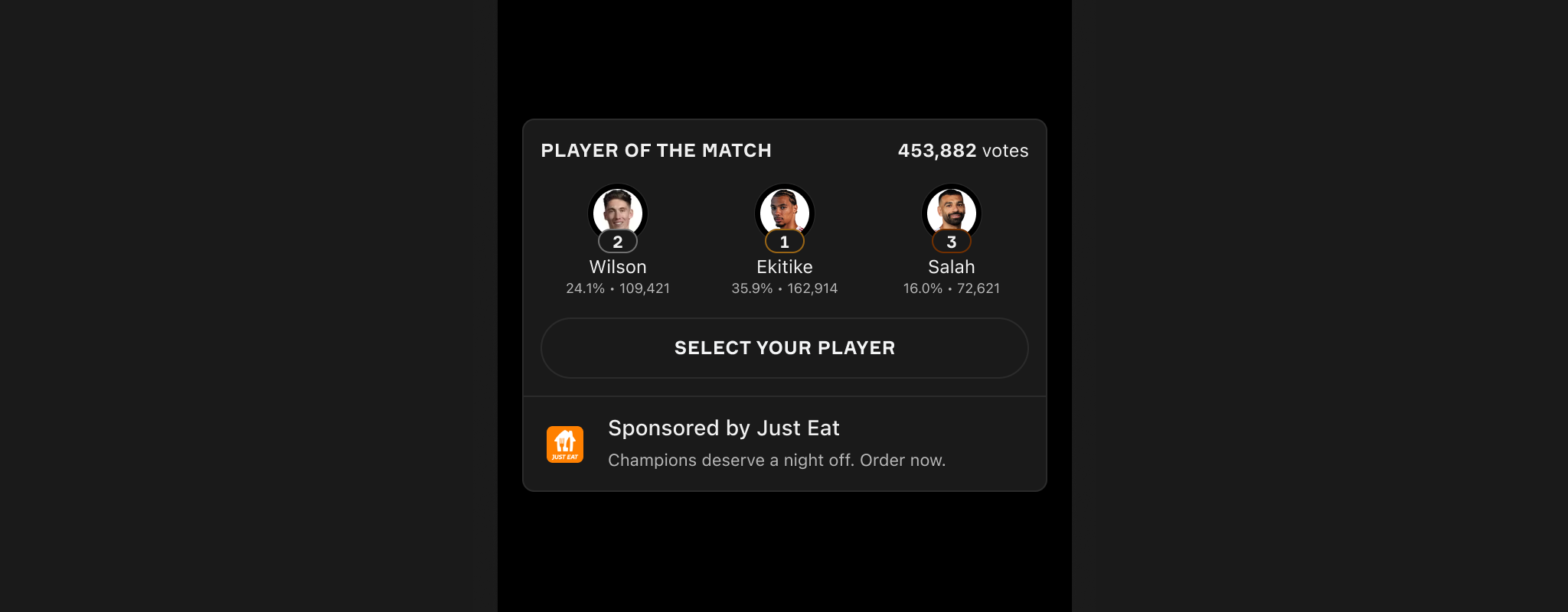
Player of the Match is the entry point for voting on the best player in a match. It shows the three players leading the vote, the running vote count and a button through to the full list, and it can carry a sponsor.
Usage
Sponsorship
Sponsorship Logo
Sponsor images within Player of the Match will use a 1:1 ratio.
Customisation
The title and subtext can be customised to reflect sponsor messaging, while maintaining clarity and consistency with the core voting experience.
Voting Behaviour
Voting opens at half-time and closes at full-time. While voting is open, the primary CTA takes fans to the voting screen, where they can select a player from both teams and submit their vote.
Fans can vote once per match. After voting, the selected player is visually indicated, and the CTA updates to direct fans to the results screen.
Once voting has closed, fans can no longer submit a vote. The component instead links to the results view, showing all players ranked by total votes.
Vote counts refresh when the page is reloaded.
Design
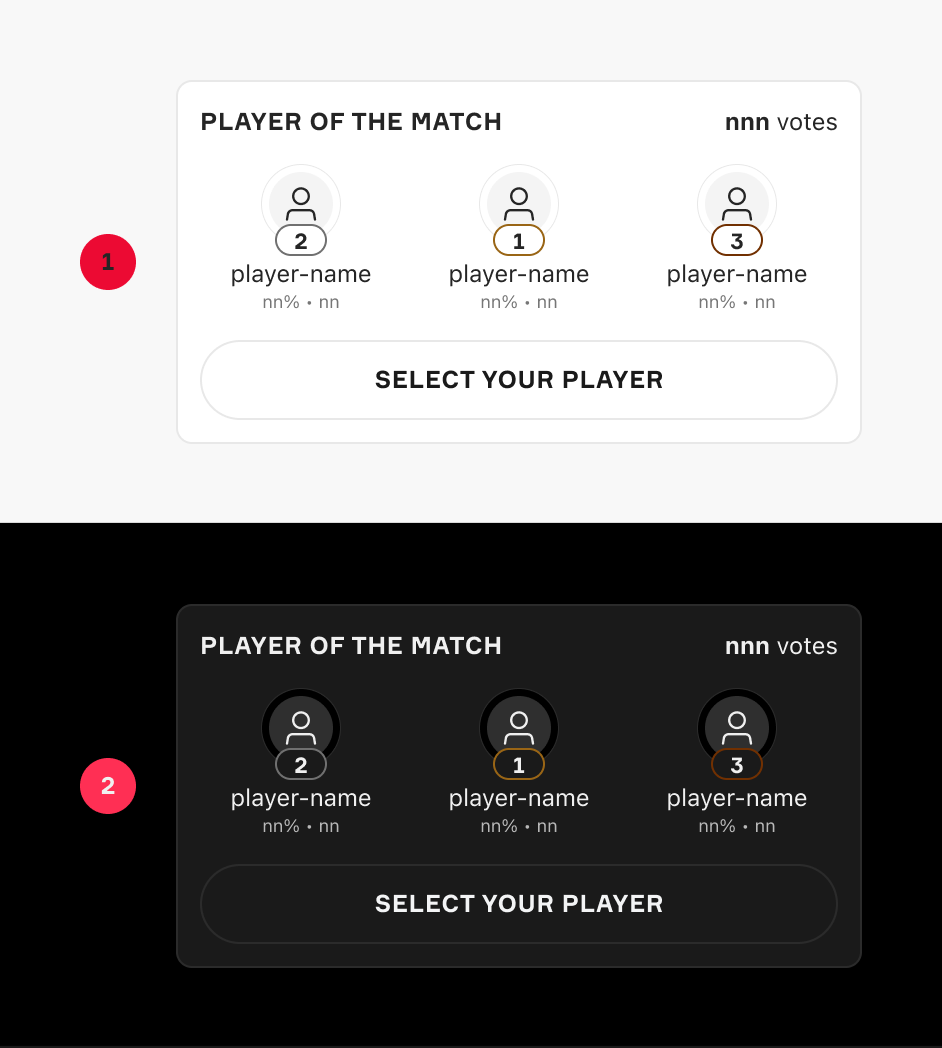
Appearance
|
Item |
Usage |
|---|---|
|
1 |
Light Mode |
|
2 |
Dark Mode |
Anatomy
|
Item |
Usage |
|---|---|
|
1 |
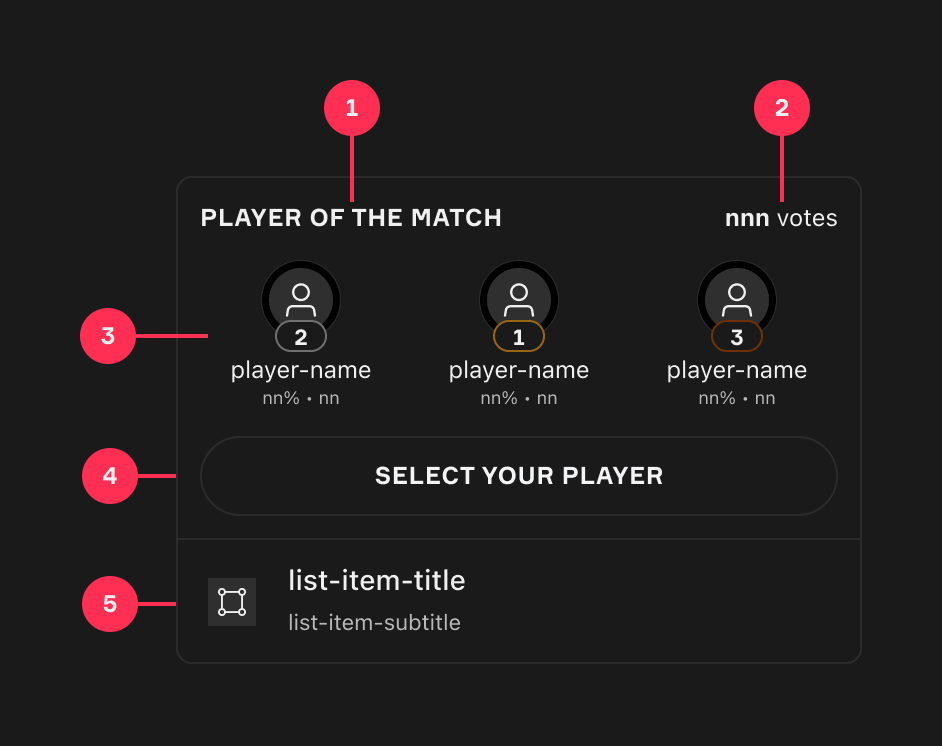
Title Text |
|
2 |
Voting Count Text |
|
3 |
Players |
|
4 |
Button |
|
5 |
Sponsorship (Optional) |
Variants
|
Item |
Variant |
|---|---|
|
1 |
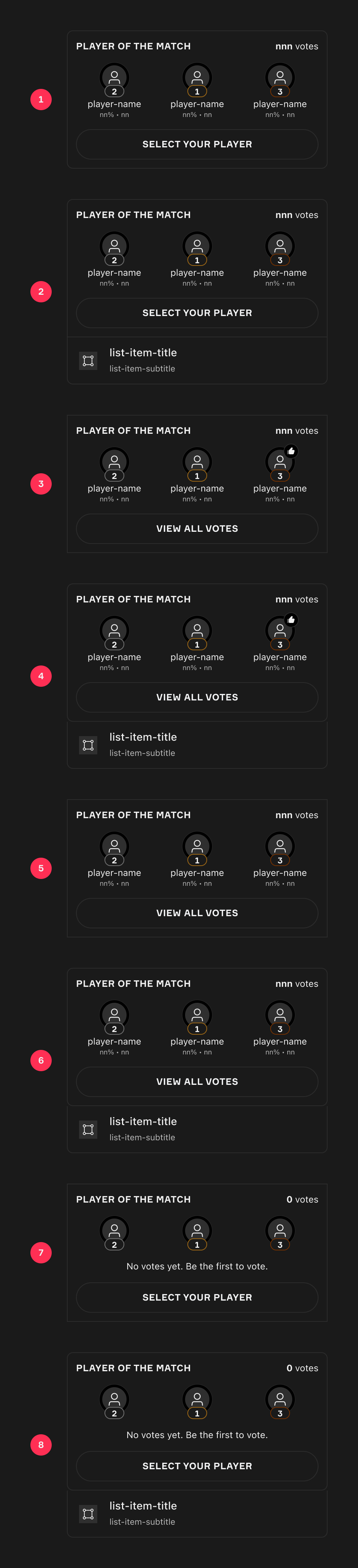
Vote Open |
|
2 |
Vote Open inc. Sponsorship |
|
3 |
Voted |
|
4 |
Voted inc. Sponsorship |
|
5 |
Vote Closed (Not Voted) |
|
6 |
Vote Closed (Not Voted) inc. Sponsorship |
|
7 |
Vote Open (No Votes) |
|
8 |
Vote Open (No Votes) inc. Sponsorship |