Design
Overview
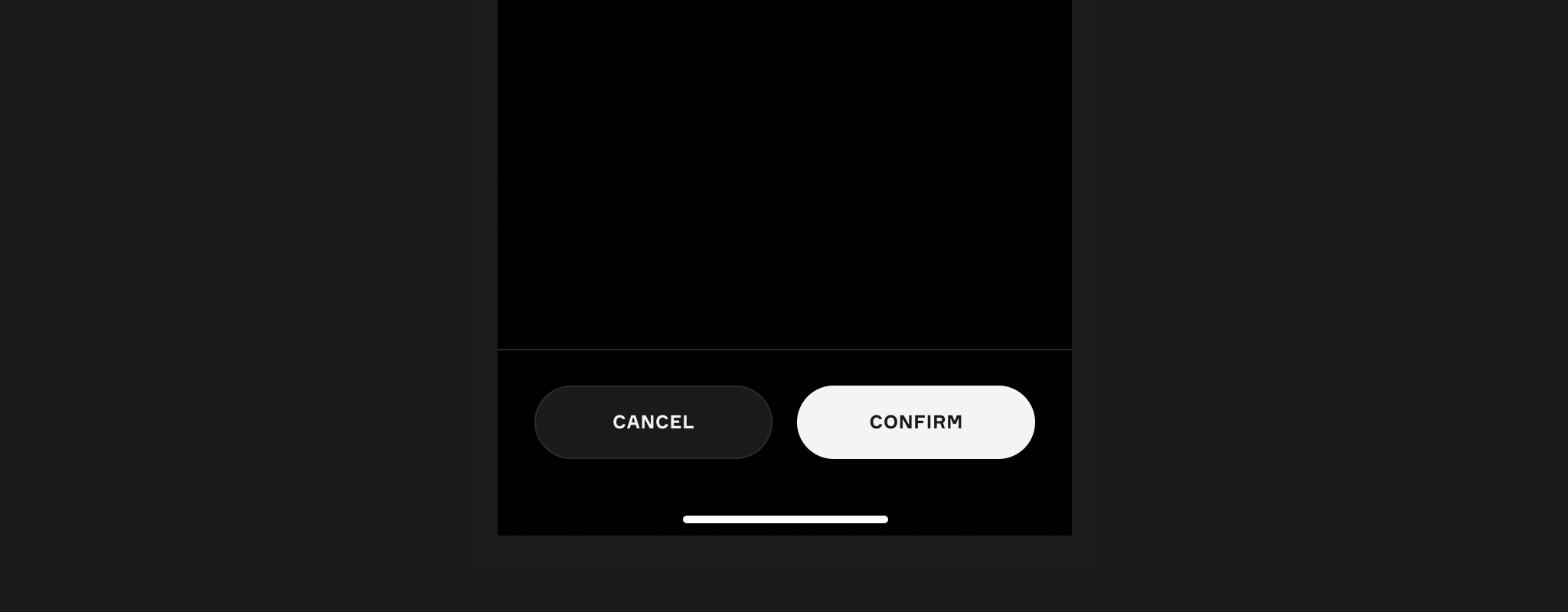
The Sub Navigation Bar is pinned to the bottom of the screen and holds the actions for the screen a fan is on. It carries one or two buttons, stacked or adjacent, with optional content above them.
Usage
Placement
The Subnavigation Bar is positioned at the bottom of the screen for optimal accessibility and interaction, enhancing overall usability by keeping essential navigation within easy reach.
Pinned Placement
The Subnavigation Bar is fixed at the bottom of the screen, ensuring it remains accessible at all times.
Number of Buttons
- One Button: Use when a single primary action is required.
- Two Buttons: Use when there are two relevant actions. These can be positioned either:
- Adjacent: Placed side by side.
- Stacked: Placed one on top of the other.
Design
Appearance
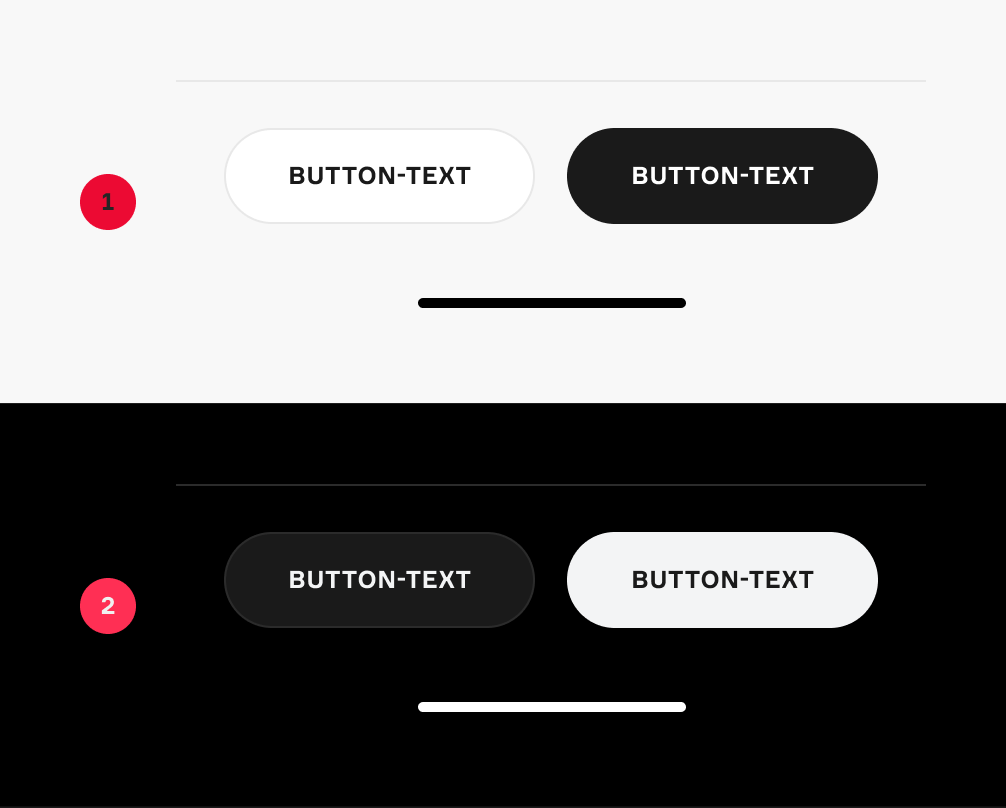
|
Item |
Usage |
|---|---|
|
1 |
Light Mode |
|
2 |
Dark Mode |
Anatomy
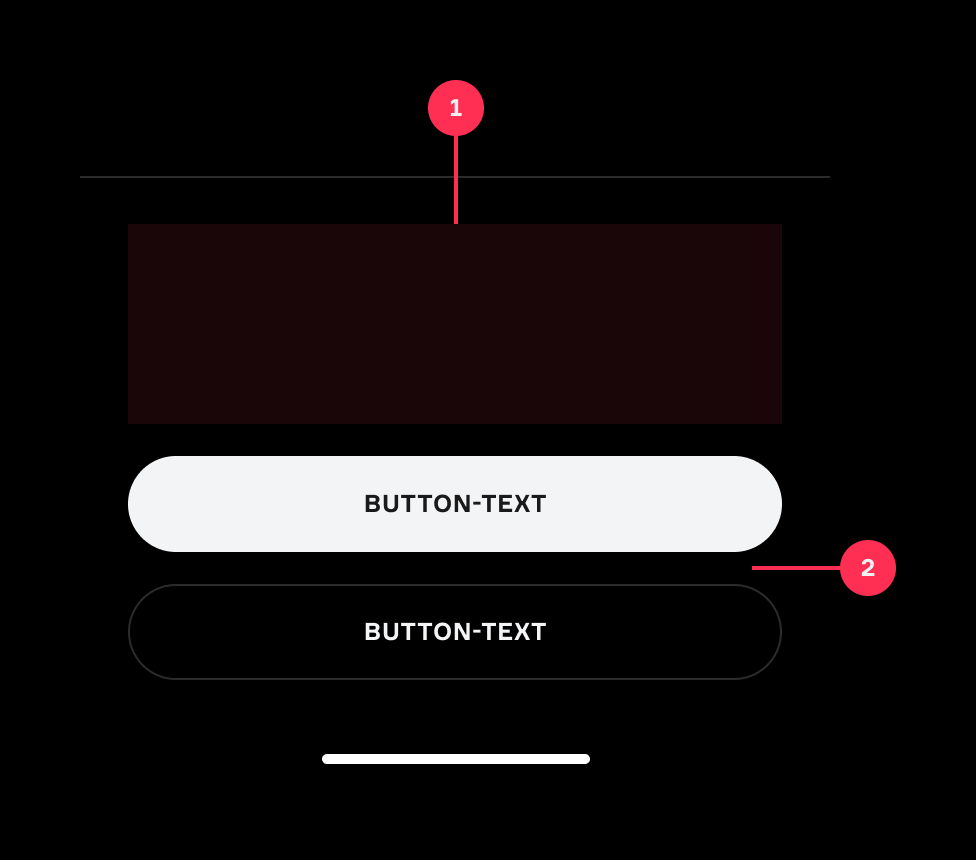
|
Item |
Variant |
|---|---|
|
1 |
Content (Optional) |
|
2 |
Button(s) |
Variants
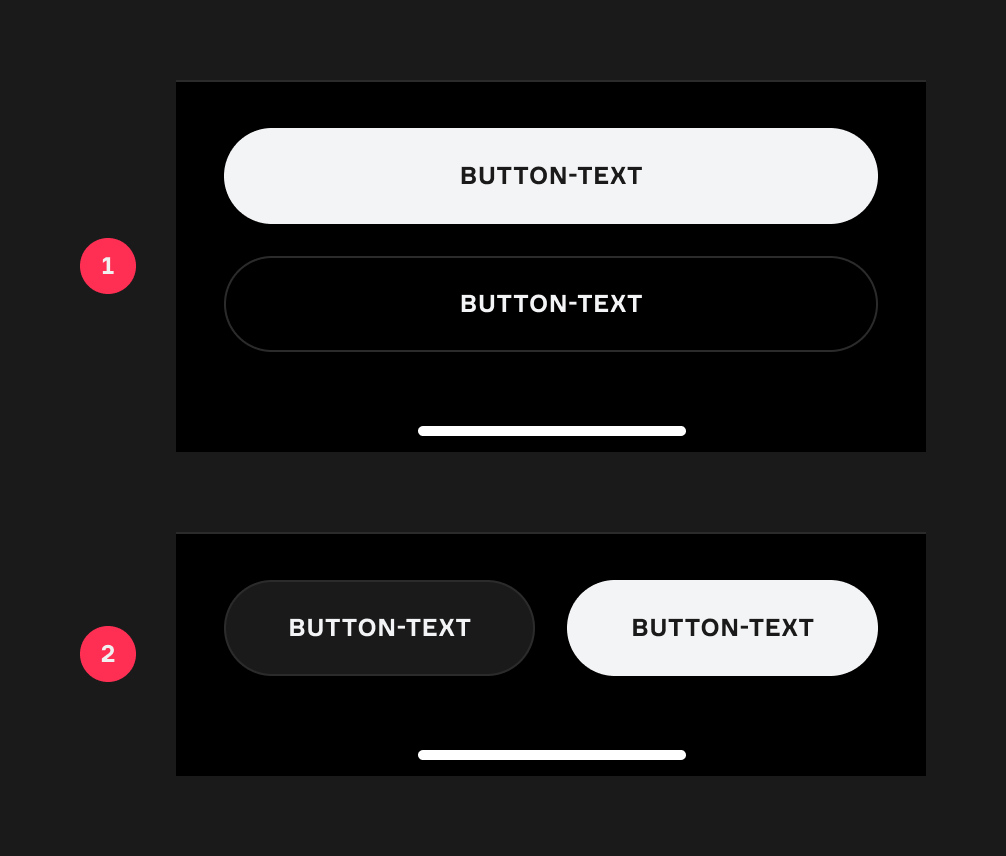
|
Item |
Variant |
|---|---|
|
1 |
Stacked Buttons |
|
2 |
Adjacent Buttons |