Design
A flexible component designed to display various statistics clearly and concisely
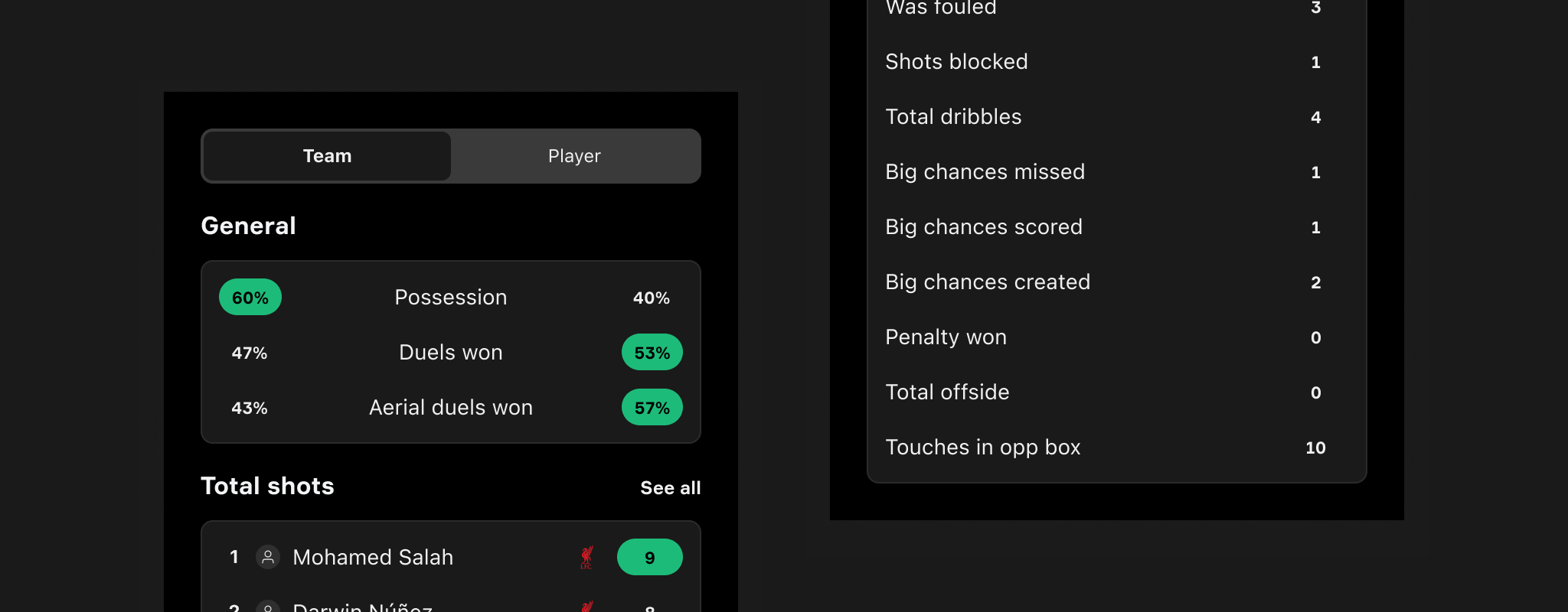
Component checklist
Overview
The List is a row of statistics, built either as a pair compared across the two teams or as a single figure for one player. Rows stack to make up a whole set of stats.
Usage
Type of Stats
Side by Side: Used when displaying two stats within the same row, e.g., match possession for both teams.
Individual: Used for displaying a single stat, e.g., the number of goals scored by an individual player.
Number of Stats
There is no maximum limit to the number of stats components that can be stacked together. However, if stats are placed within another component, they may be subject to that component's specific rules (e.g., Mini Card: Match Stats).
Design
Appearance
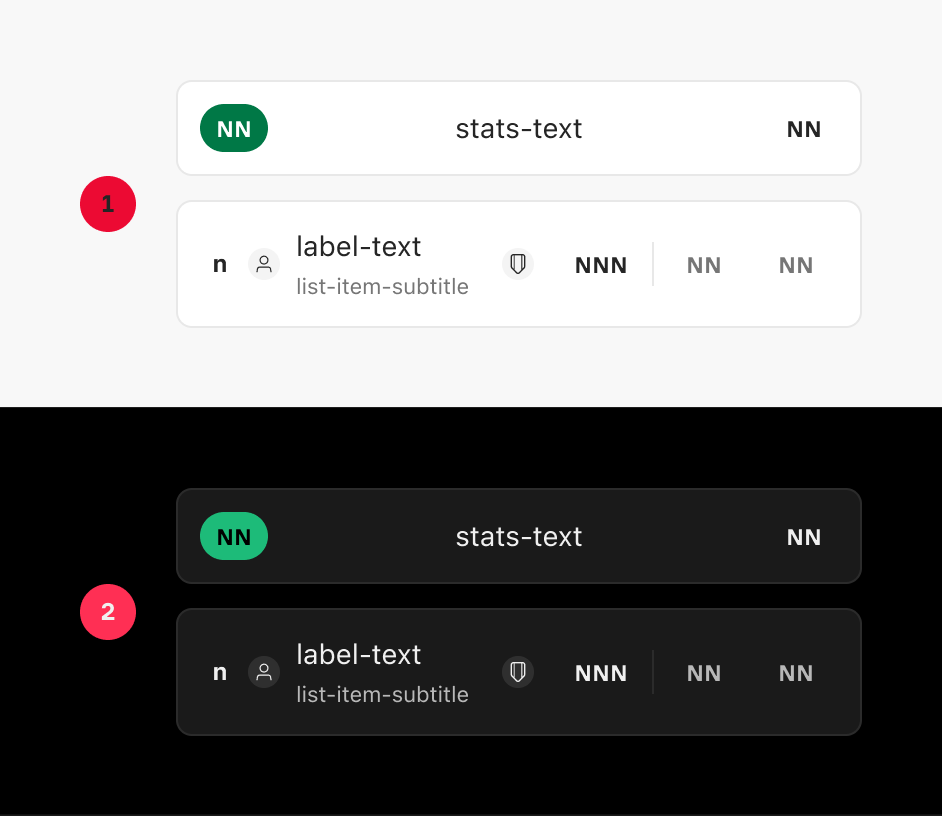
|
Item |
Usage |
|---|---|
|
1 |
Light Mode |
|
2 |
Dark Mode |
Anatomy
Side by Side
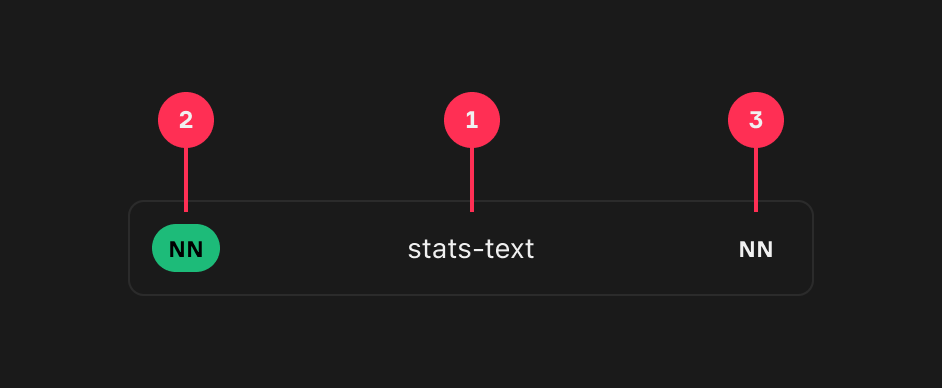
|
Item |
Usage |
|---|---|
|
1 |
Title |
|
2 |
Stats Indicator |
|
3 |
Stats Indicator |
Individual
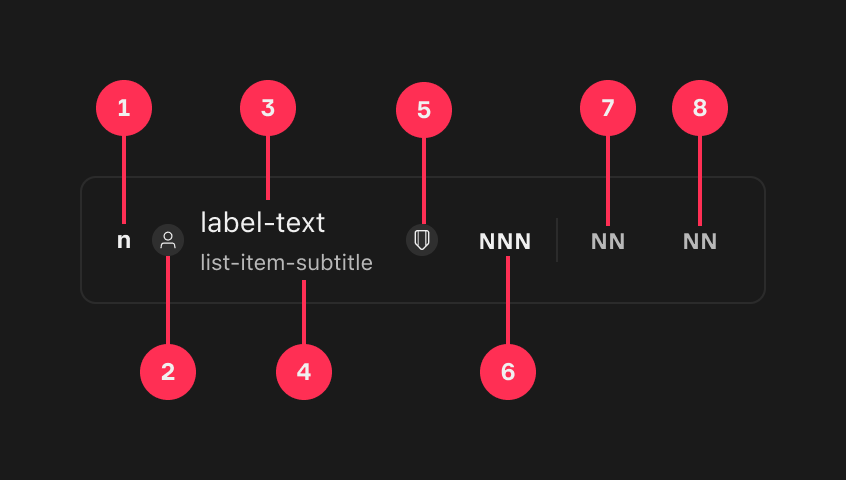
|
Item |
Usage |
|---|---|
|
1 |
Position (Optional) |
|
2 |
Icon/Logo Placeholder (Optional) |
|
3 |
Title |
|
4 |
Subtitle (Optional) |
|
5 |
Team Placeholder (Optional) |
|
6 |
Stats Indicator |
|
7 |
Rank Indicator (Optional) |
|
8 |
Rank Indicator (Optional) |