Design
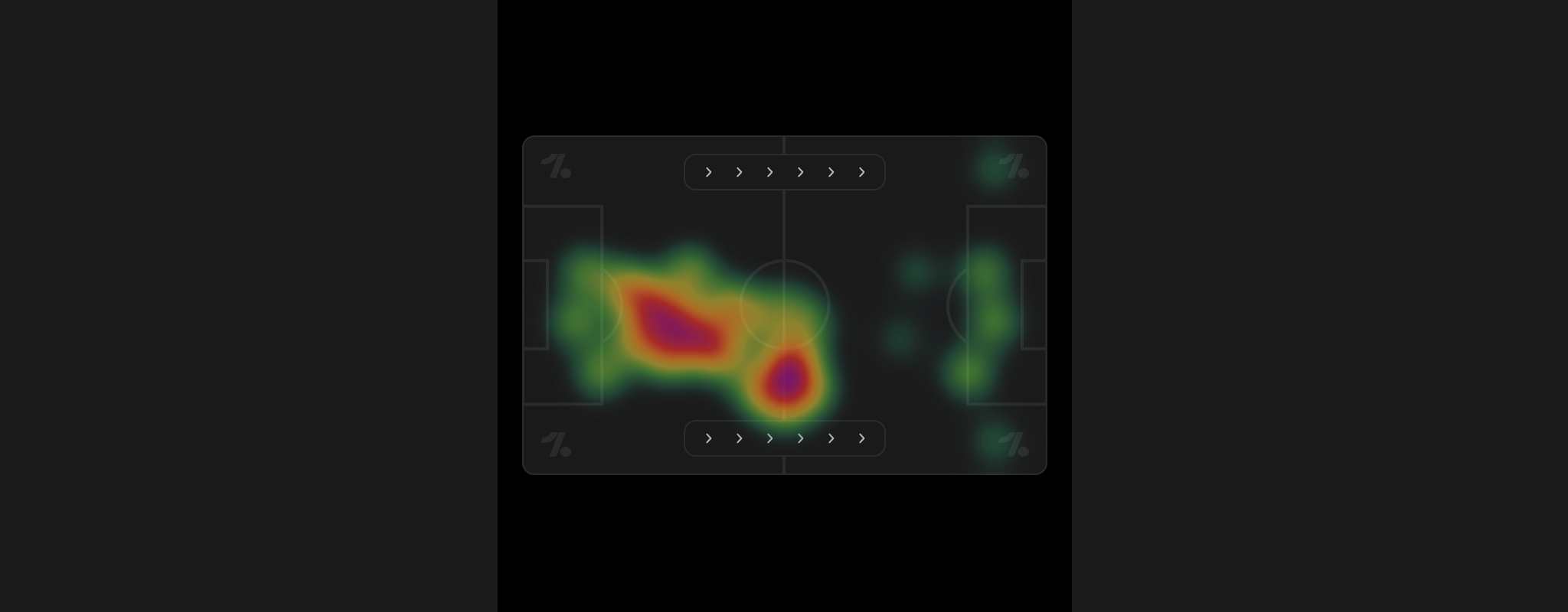
Heatmaps are used to visualise player activity on the pitch.
Component checklist
Overview
The Heatmap shades a pitch to show where a player spent the match, with a direction indicator saying which way they were attacking. The warmer the colour, the more they were in that part of the pitch.
Usage
Gradient Type
Turbo Heatmap Gradient: Based on Google’s Turbo colormap, designed for accurate heat representation.
The Turbo heatmap gradient is designed to show a clear intensity progression from low to high, with smooth, perceptually balanced transitions and vibrant color without overwhelming the viewer. It works well on both light and dark pitch backgrounds, with subtle transparency at lower values to minimise visual noise.
Colour Stops
The gradient uses seven colour stops to smoothly transition from cool to warm tones as intensity increases. It begins with a deep violet at low activity (fully transparent), moves through teal and lime at moderate levels, then shifts to bright yellow, orange, and red, finishing with a vivid magenta-red at peak intensity. Each stop increases both in brightness and opacity, helping highlight high-activity areas while keeping low-activity zones subtle.
                                                            [
                                                            (0.00, ( 48/255,  18/255,  59/255, 0.0)),   # Deep violet, fully transparent
                                                            (0.17, ( 50/255, 180/255, 123/255, 0.25)),  # Teal-green, faintly visible
                                                            (0.33, (110/255, 236/255,  86/255, 0.4)),   # Bright lime
                                                            (0.50, (255/255, 238/255,  66/255, 0.5)),   # Vivid yellow
                                                            (0.67, (255/255, 146/255,  41/255, 0.65)),  # Warm orange
                                                            (0.83, (200/255,  45/255,  43/255, 0.8)),   # Bold red
                                                            (1.00, (133/255,  22/255, 111/255, 0.9)),   # Magenta-red, high intensity
                                                        ]
Design
Appearance
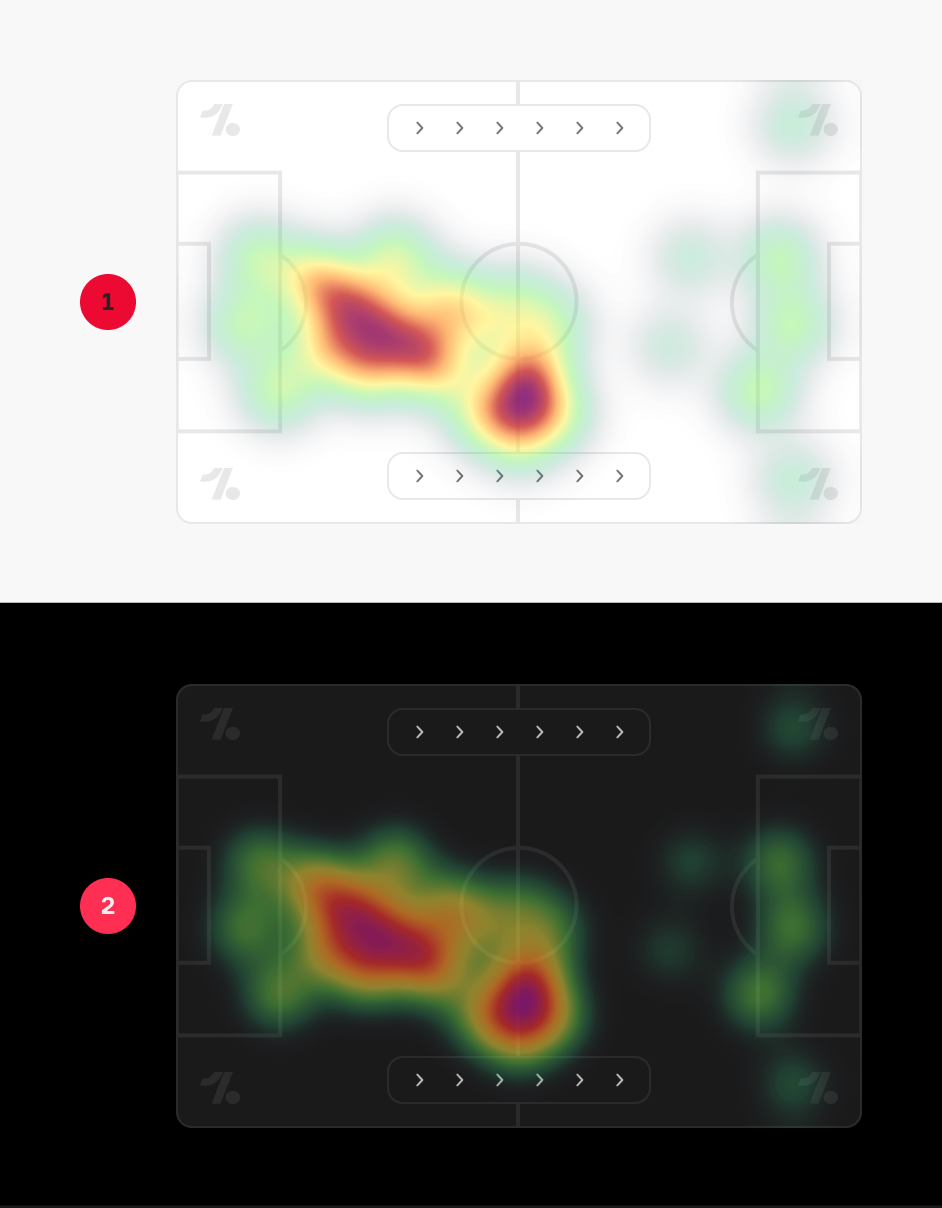
|
Item |
Usage |
|---|---|
|
1 |
Light Mode |
|
2 |
Dark Mode |
Anatomy
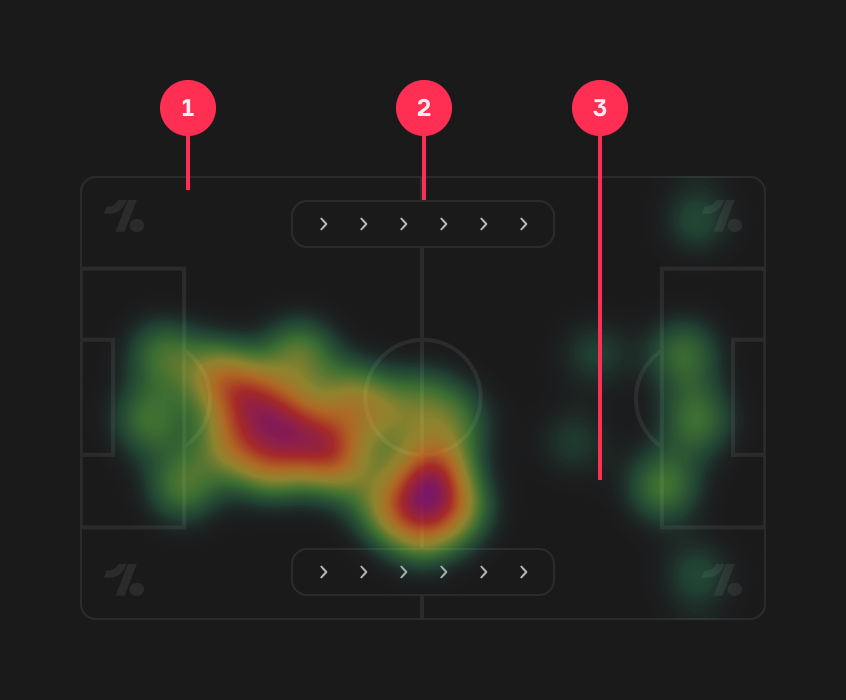
Individual
|
Item |
Usage |
|---|---|
|
1 |
Pitch |
|
2 |
Direction Indicator |
|
3 |
Heatmap |
Variants
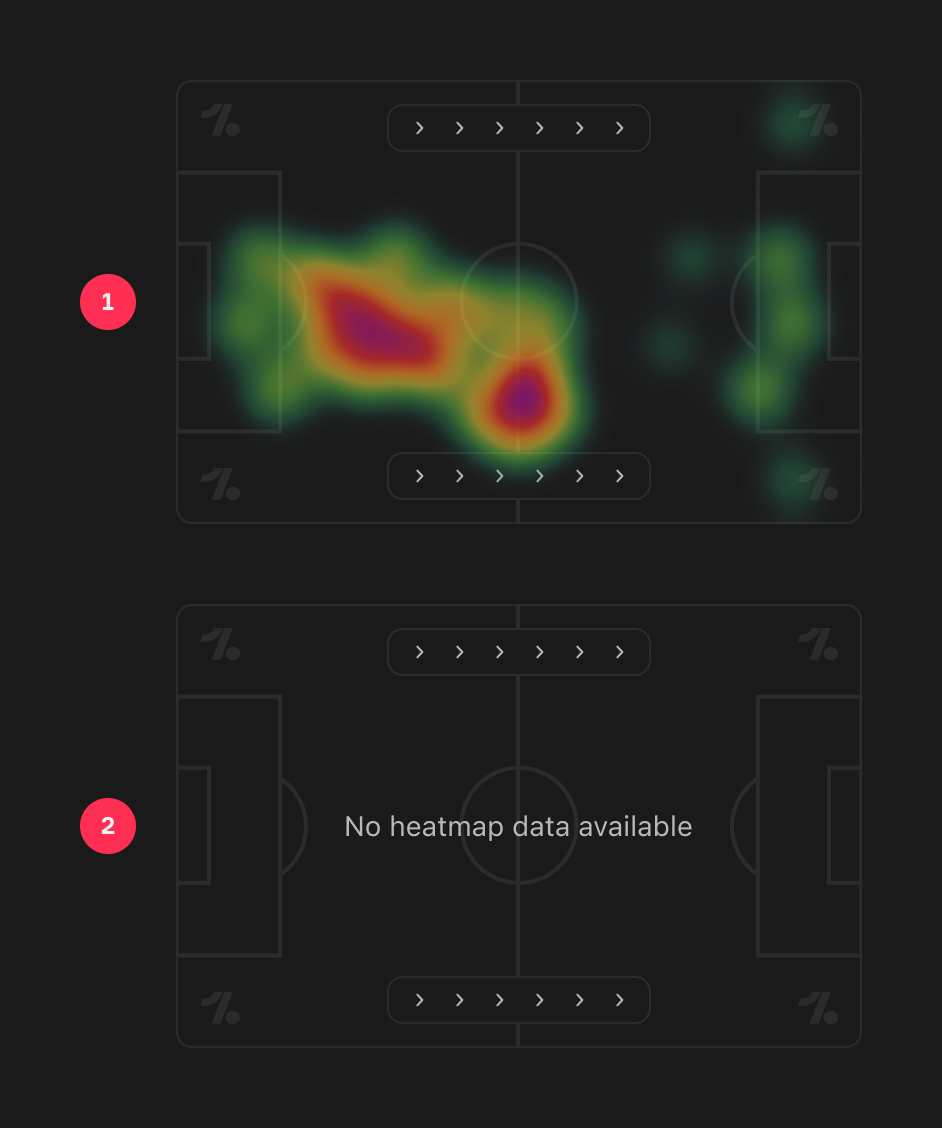
|
Item |
Variant |
|---|---|
|
1 |
Heatmap |
|
2 |
Empty |