Design
Component checklist
Overview
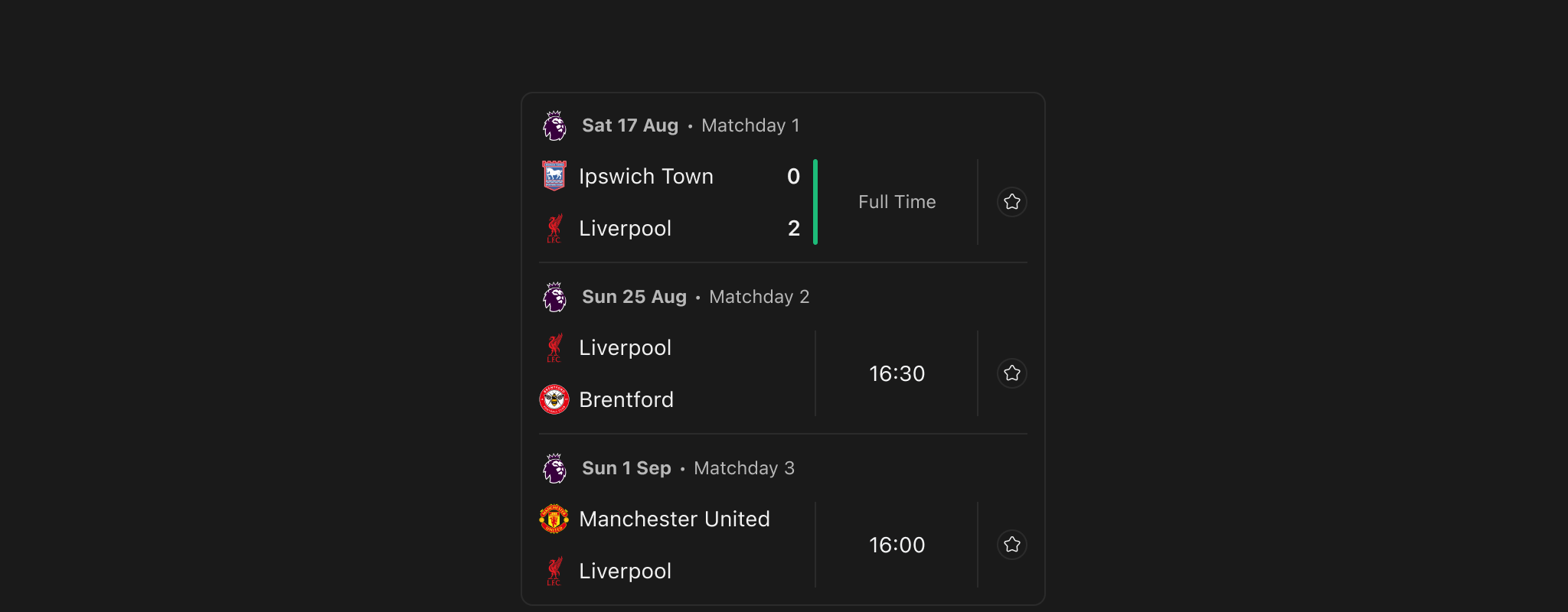
The Match Cell is one match in a list, carrying the two teams, the score or kick-off time and the state the match is in. It covers a match from the moment it is scheduled through to full time, and can be followed from the cell itself.
Usage
Follow Animation/Feedback
When a match is followed, providing animation and haptic feedback helps fans confirm that the action was successful and that their tap was recognised.
- Follow (unselected to selected state)
- Haptic Feedback
- Rotation: +140deg / sing-2
- Unfollow (selected to unselected state)
- Haptic Feedback
- Rotation: -140deg / sing-2
Date Format
Whenever possible, present date and time according to the fan's locale.
Abbreviate units of time, days of the week, and months (e.g., Mon 19 Aug).
Time Format
When kickoff times are displayed, always use a 24-hour clock.
Number of Match Cells
There is no maximum number of Match Cells that can be used together.
Match Outcome
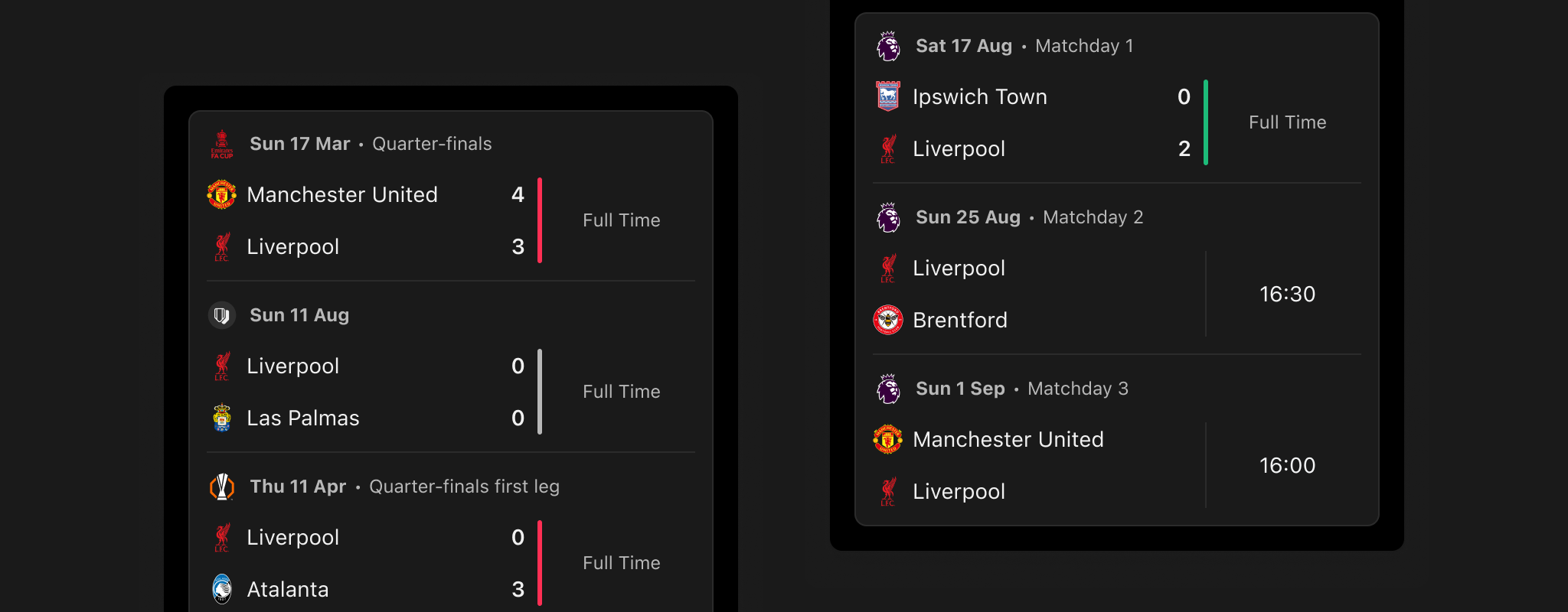
Depending on where Match Cells are used, there is an option to visually highlight the match outcome. For example, this may be applicable on a Team Page where the Match Cell is shown in its original context.
There are 4 options; win, lose, draw and divider.
Text Style Scaling
When 3 rows of information (e.g. time, date, and “Watch” button) are visible in a Match Cell, text styles scale down e.g. from Formular/body-2 to Formular/body-3.
When 2 rows of information (e.g. time and “Watch” button) are visible, text styles scale back up e.g. from Formular/body-3 to Formular/body-2.
Design
Appearance
|
Item |
Usage |
|---|---|
|
1 |
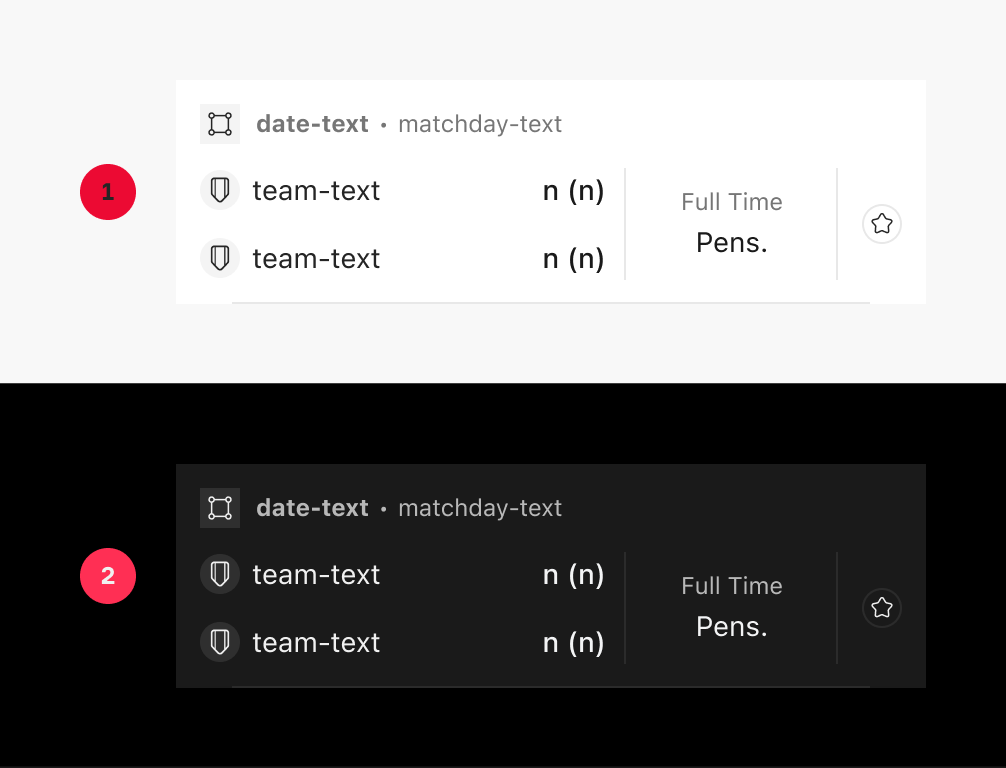
Light Mode |
|
2 |
Dark Mode |
Anatomy
|
Item |
Usage |
|---|---|
|
1 |
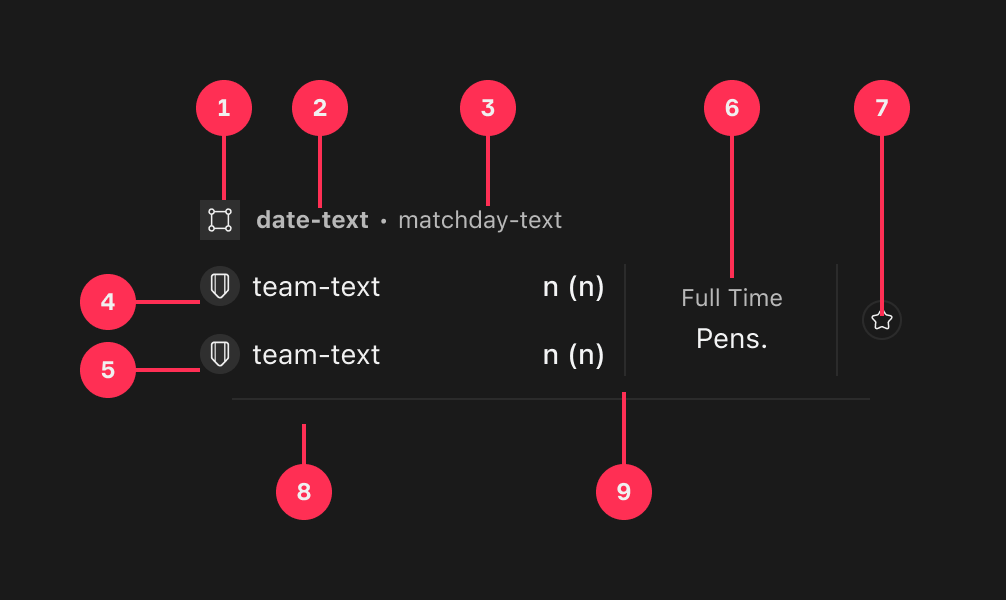
Competition Logo (Optional) |
|
2 |
Date Text (Optional) |
|
3 |
Matchday Text (Optional) |
|
4 |
Home Team & Score |
|
5 |
Away Team & Score |
|
6 |
Status |
|
7 |
Follow (Optional) |
|
8 |
Divider (Optional) |
|
9 |
Match Outcome |
Variants
Pre Match
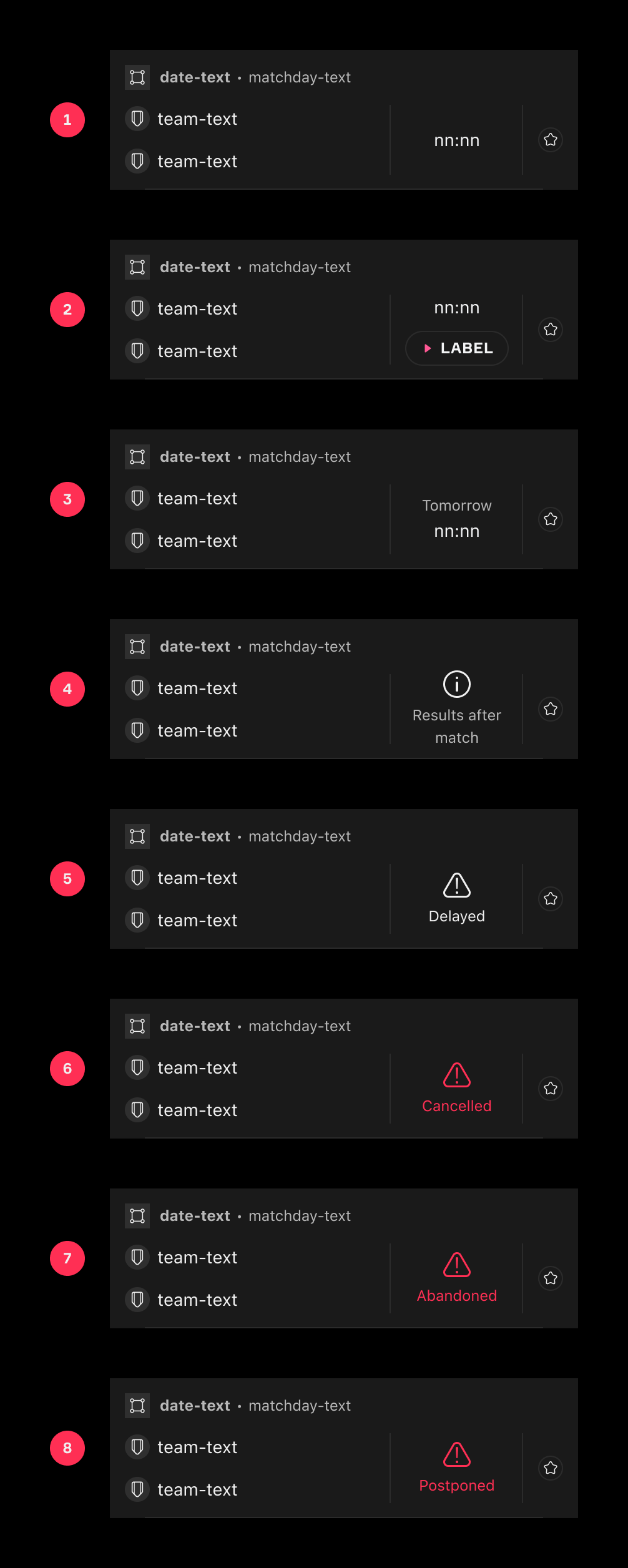
|
Item |
Variant |
|---|---|
|
1 |
[Pre] Timestamp Only |
|
2 |
[Pre] Timestamp OTT |
|
3 |
[Pre] Date & Time |
|
4 |
[Pre] Results After Match |
|
5 |
[Pre] Delayed |
|
6 |
[Pre] Cancelled |
|
7 |
[Pre] Abandoned |
|
8 |
[Pre] Postponed |
During Match
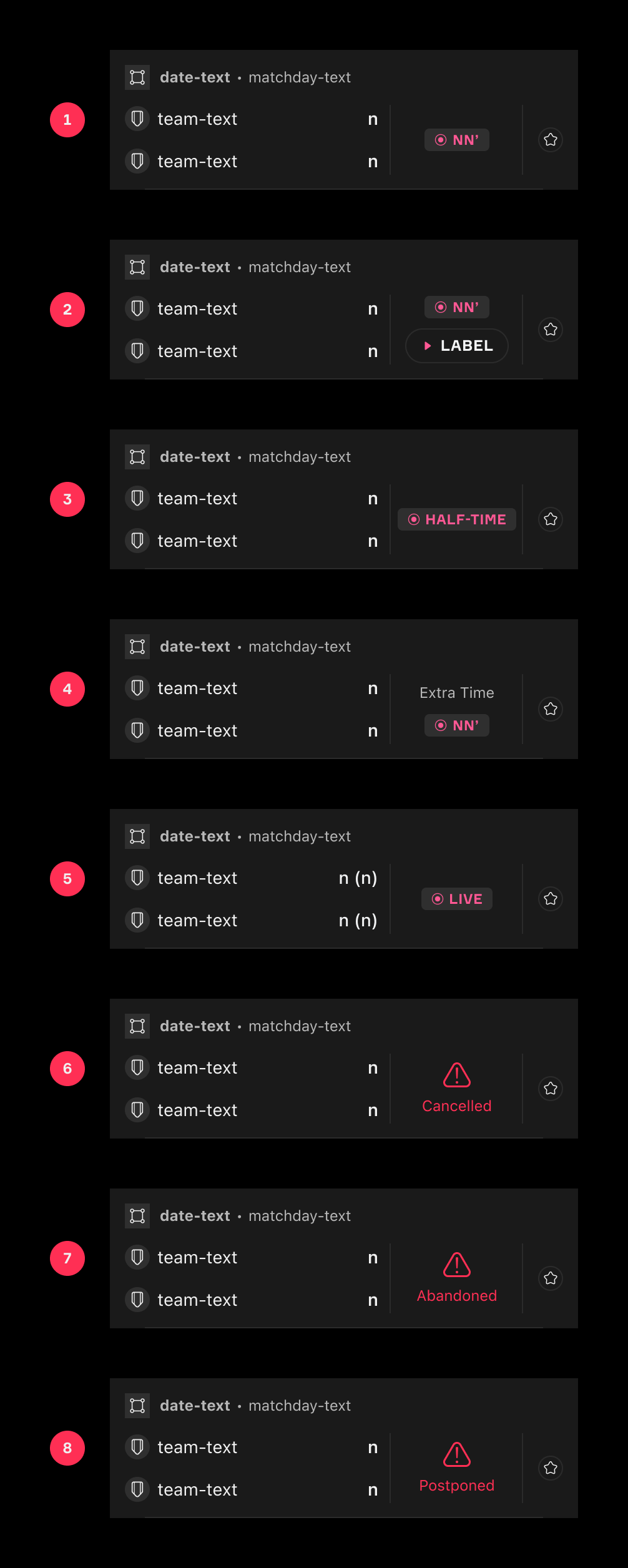
|
Item |
Variant |
|---|---|
|
1 |
[During] Timestamp |
|
2 |
[During] Timestamp OTT |
|
3 |
[During] Half-Time |
|
4 |
[During] Extra-Time |
|
5 |
[During] Penalties |
|
6 |
[During] Cancelled |
|
7 |
[During] Abandoned |
|
8 |
[During] Postponed |
Post Match
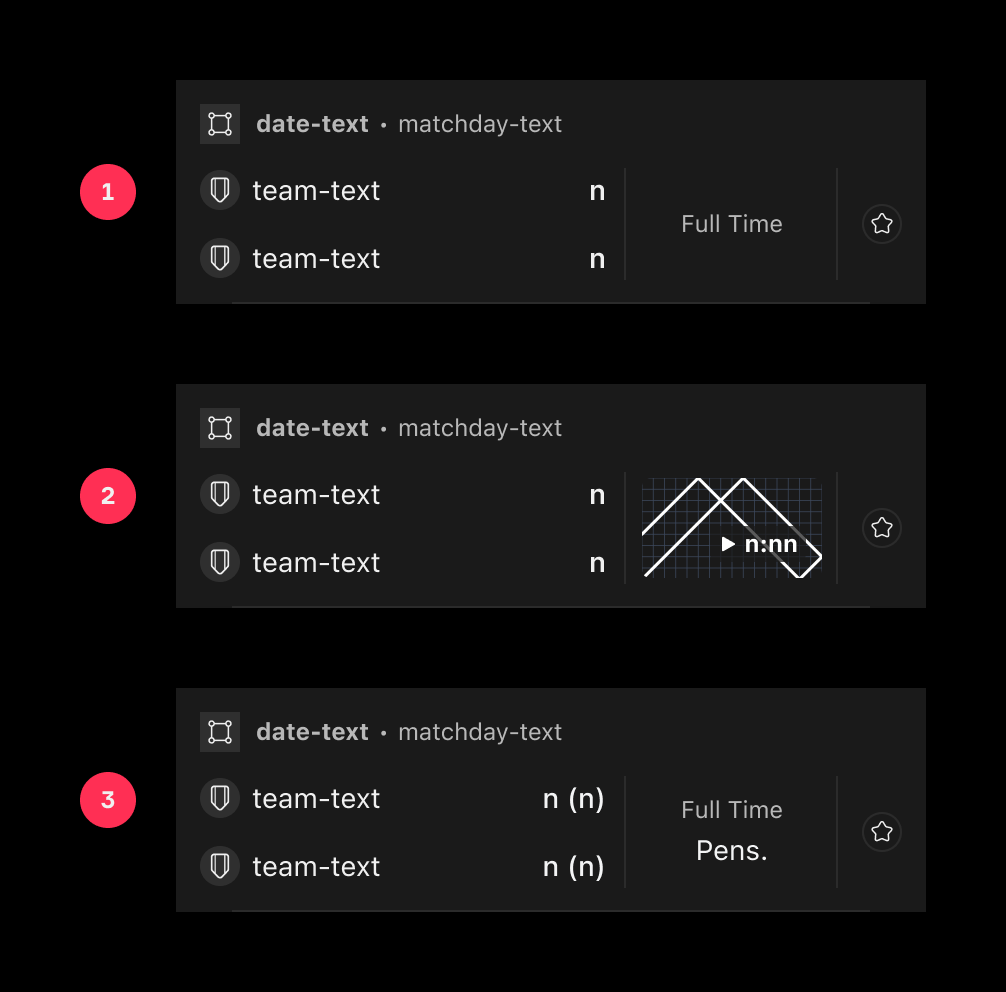
|
Item |
Variant |
|---|---|
|
1 |
[Post] Full-Time |
|
2 |
[Post] Full-Time OTT |
|
3 |
[Post] Penalties |