Design
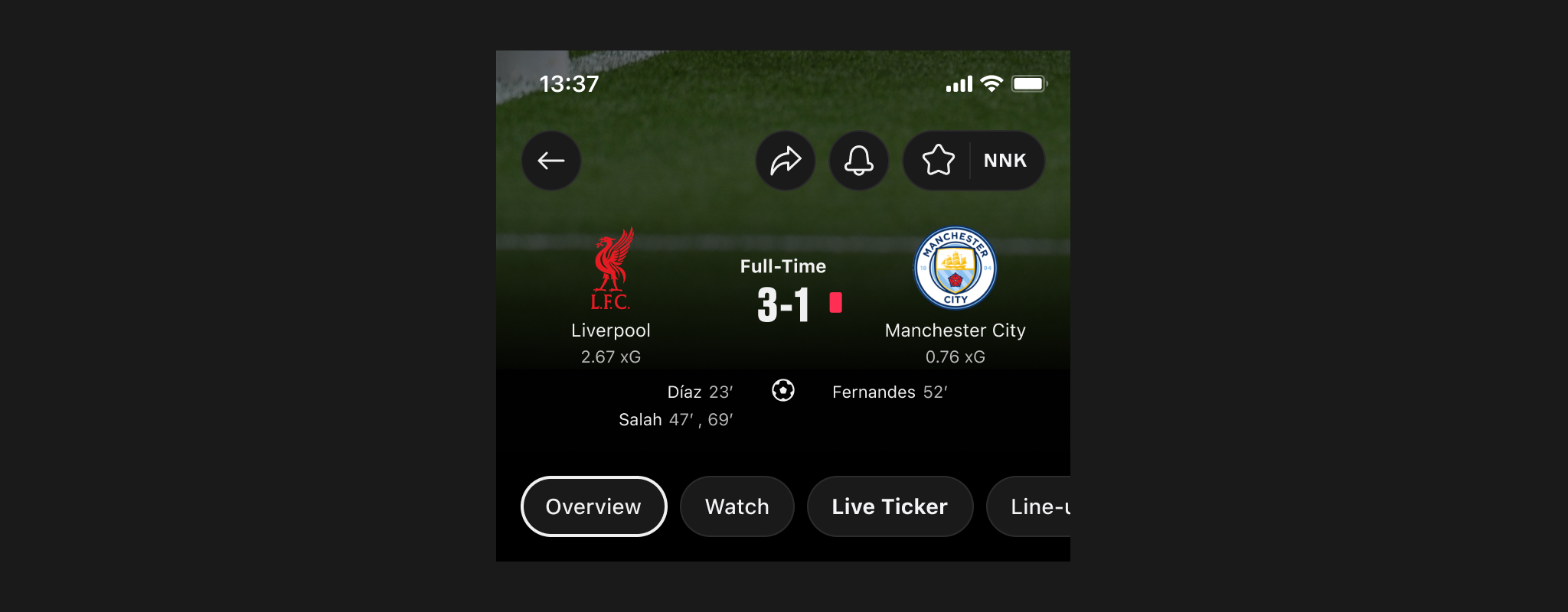
Component checklist
Overview
The Match Header sets the context at the top of a match screen. It carries the two teams, the match status and the actions for that match, and collapses as a fan scrolls.
Usage
Collapsible Header
The header collapses when a fan scrolls down the Match Page.
Red Cards
The Match Header includes a dedicated section for displaying red cards, enhancing the clarity of match information. Red cards are shown on either side of the match status.
Goal Scorers
The Match Header includes a section for displaying the goal scorers of each team, along with the time they scored. If a player scores multiple times, each timestamp is shown.
Accessibility
The Match Header organises match information consistently, enhancing the overall fan experience. It prominently displays the match status and team logos, guiding fans through the app.
Design
Appearance
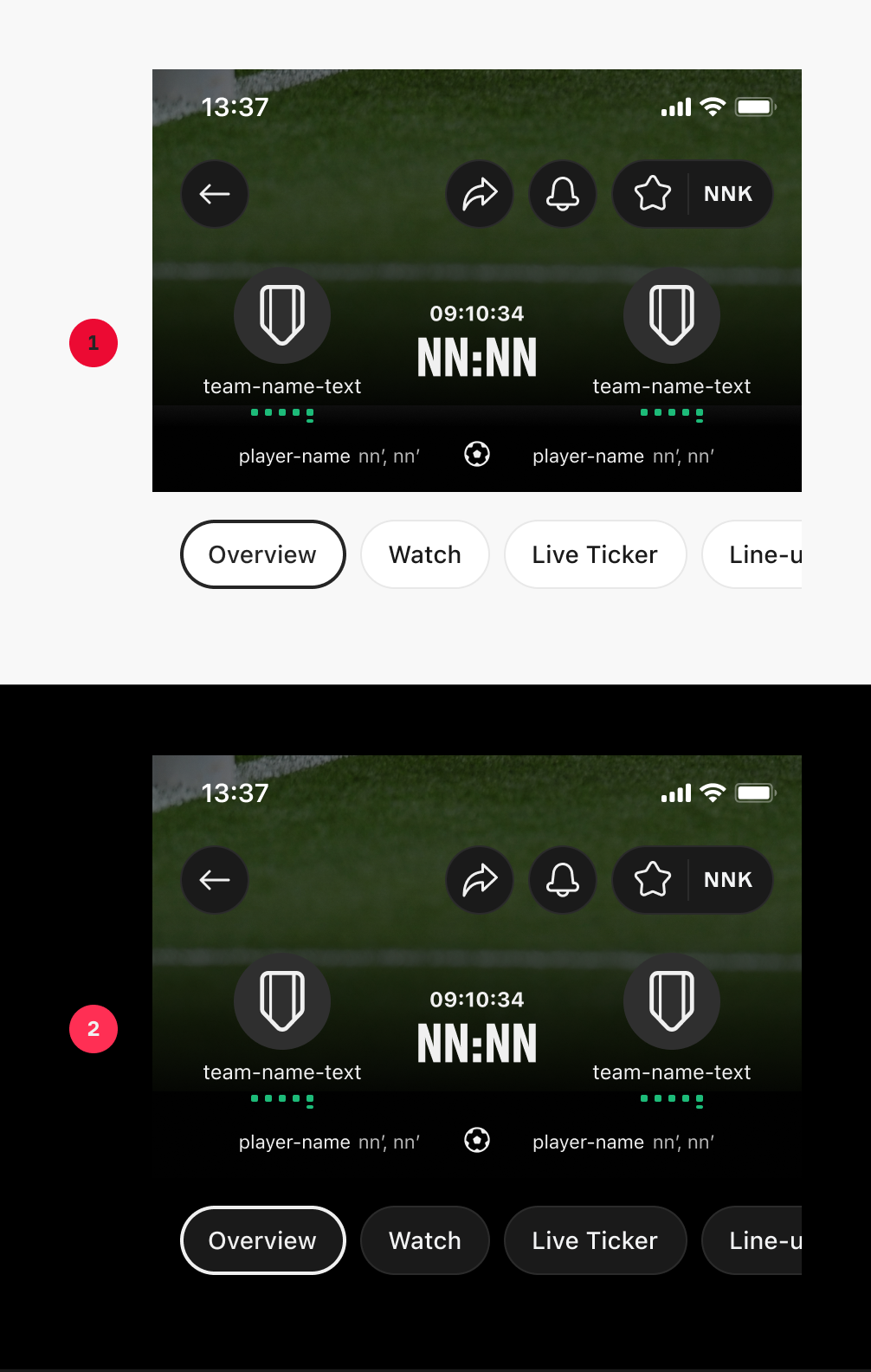
|
Item |
Usage |
|---|---|
|
1 |
Light Mode |
|
2 |
Dark Mode |
Anatomy
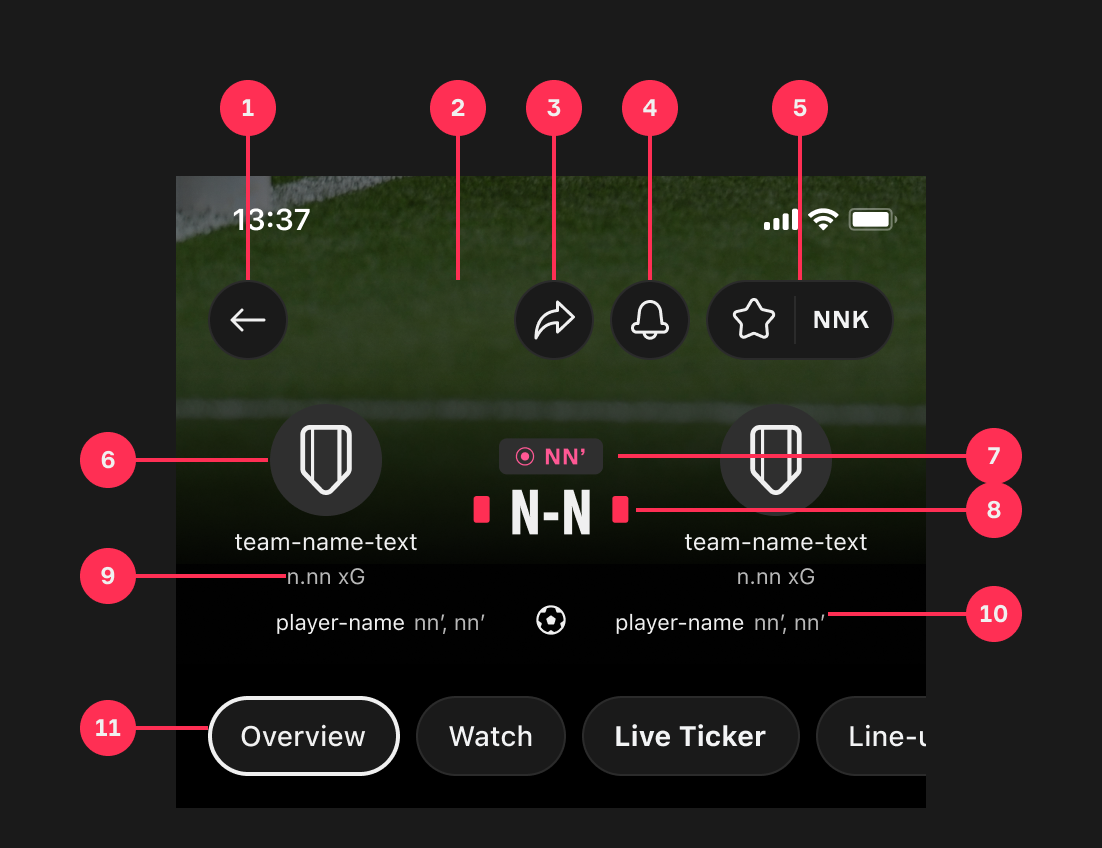
|
Item |
Usage |
|---|---|
|
1 |
Header: Back |
|
2 |
Header: Pin |
|
3 |
Header: Share |
|
4 |
Header: Notifications |
|
5 |
Header: Follow & Count |
|
6 |
Team (Logo & Name) |
|
7 |
Match Status |
|
8 |
Red Cards (Optional) |
|
9 |
Additional Context (Form & xG) |
|
10 |
Scorers (Optional) |
|
11 |
Tabs |
Variants
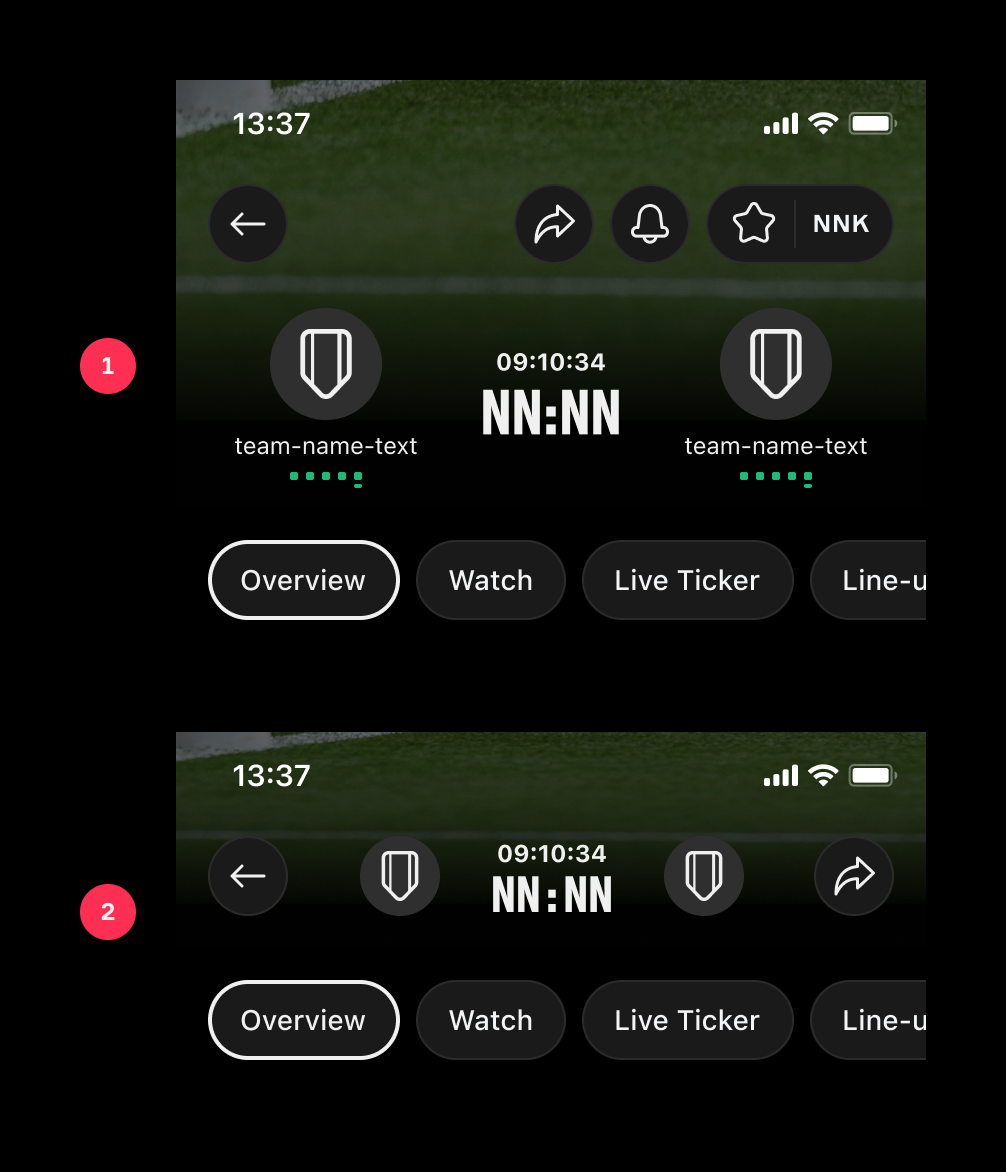
|
Item |
Variant |
|---|---|
|
1 |
Expanded |
|
2 |
Collapsed |