Design
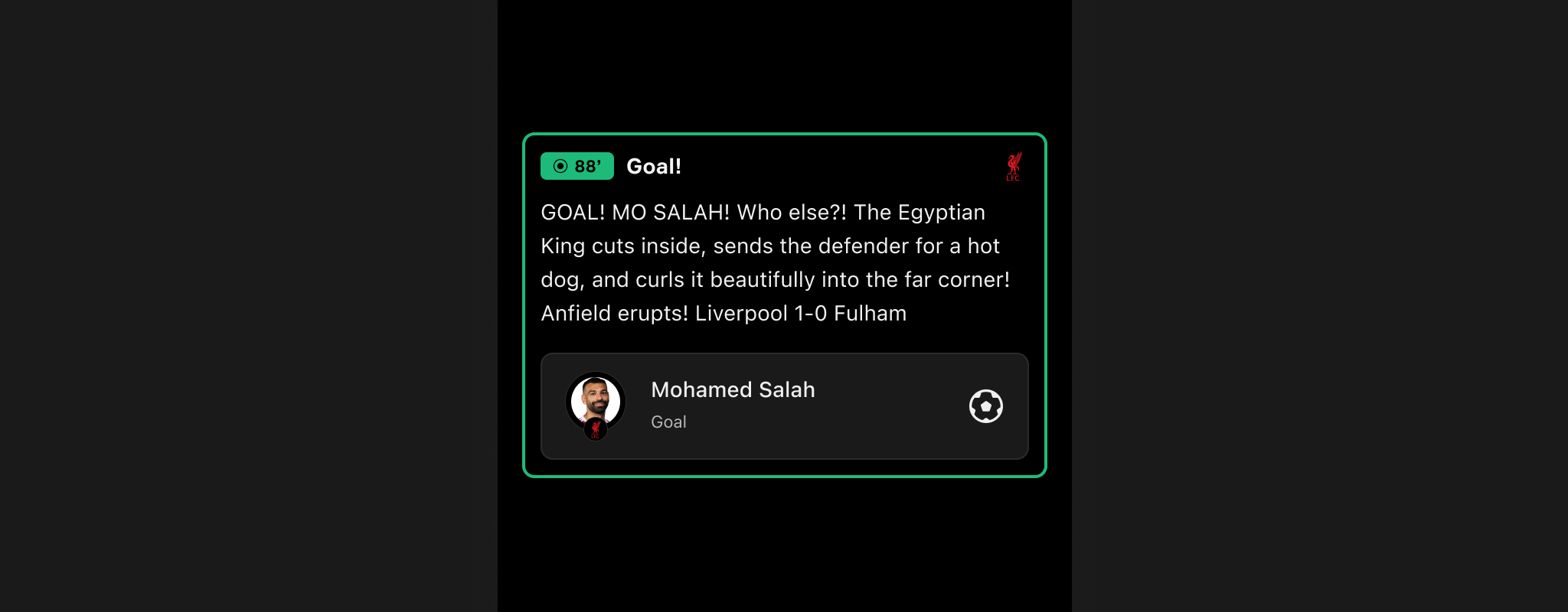
Component checklist
Overview
The Content Card is one entry in the Live Ticker, carrying the minute, what happened and any media that goes with it. A coloured border marks the kind of event, so a fan can pick the goals out of the stream without reading every line.
Usage
Live Ticker Colour Usage
Live Ticker variants use colour to quickly communicate the type and importance of match events. Each colour is mapped to a specific event, for example green for goals, red for red cards, yellow for yellow cards, and orange for key moments like penalties. This consistent colour-coding helps fans instantly recognise and scan important updates without needing to read each entry in detail.
|
Colour |
Event Type |
Examples |
Usage Rule |
|---|---|---|---|
|
Neutral |
General Updates |
Kick-off, Half-Time, Full-Time, Substitutions, Live Updates |
Default for all non-critical updates |
|
Green |
Positive / Goal Events |
Goal, Penalty Scored |
Use for events that directly increase a team’s score |
|
Orange |
Key Moments |
Penalty Missed, Penalty Saved |
Use for high-impact moments that don’t change the score |
|
Red |
Critical / Dismissals |
Red Card, Second Yellow |
Use only for dismissals or major negative turning points |
|
Yellow |
Warnings |
Yellow Card |
Use for official cautions only |
Design
Appearance
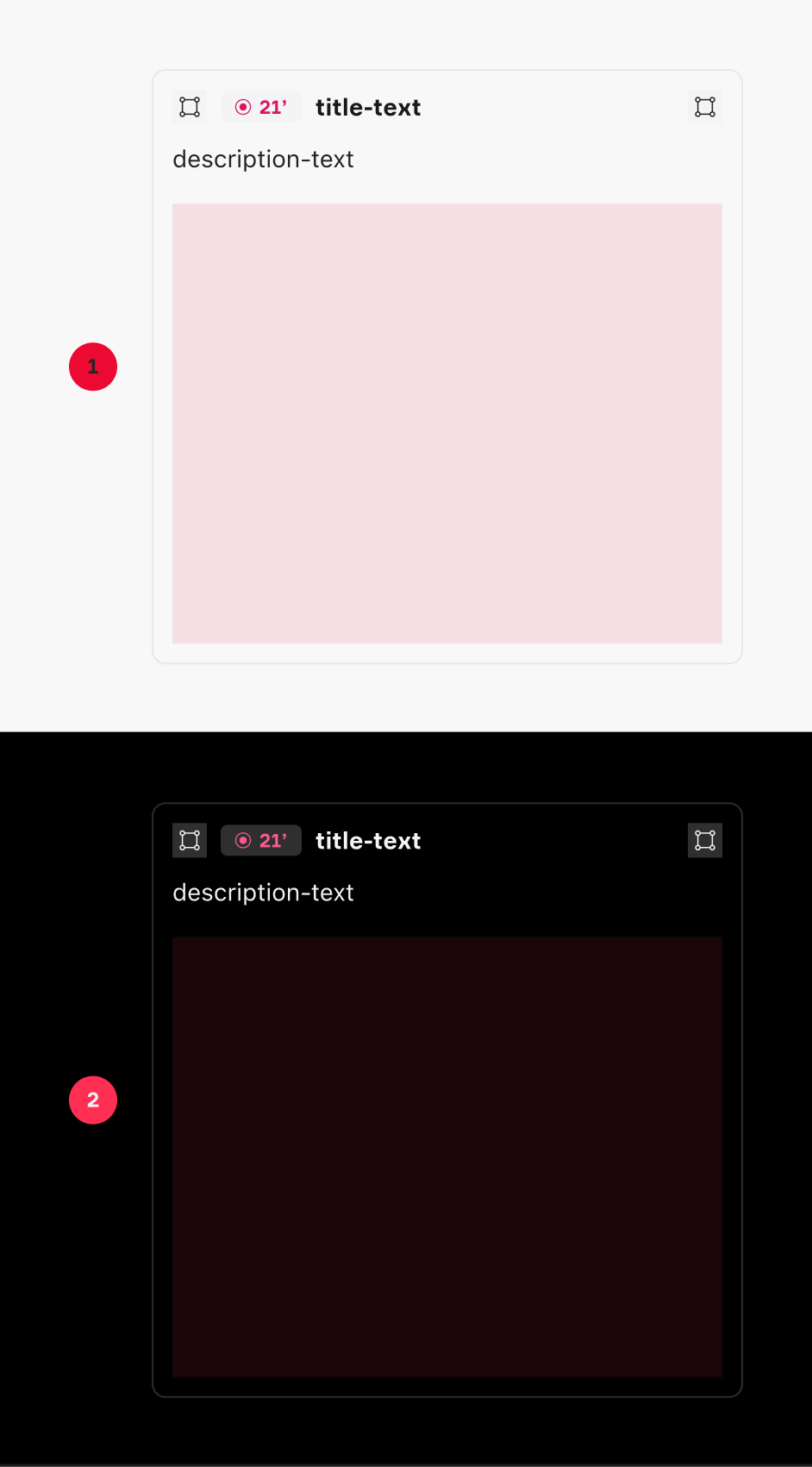
|
Item |
Usage |
|---|---|
|
1 |
Light Mode |
|
2 |
Dark Mode |
Anatomy
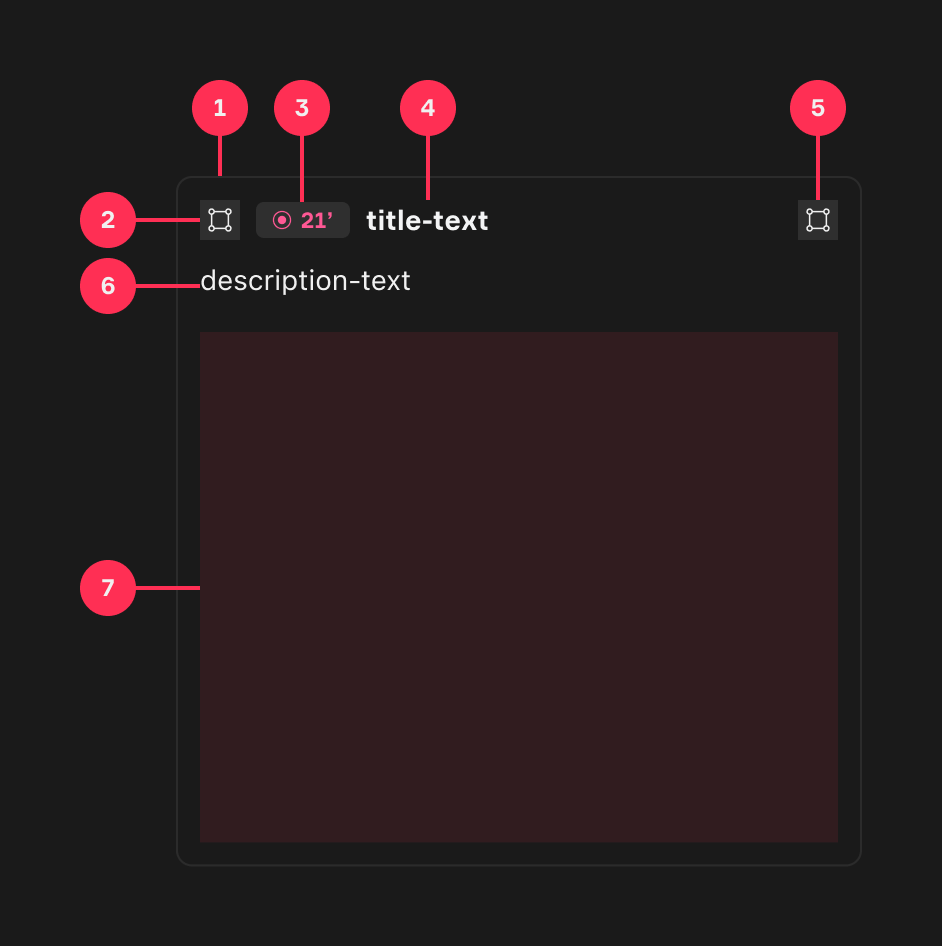
|
Item |
Usage |
|---|---|
|
1 |
Border Colour |
|
2 |
Left Icon (Optional) |
|
3 |
Timestamp (Optional) |
|
4 |
Title Text (Optional) |
|
5 |
Right Icon (Optional) |
|
6 |
Description Text (Optional) |
|
7 |
Media (Optional) |
Variants
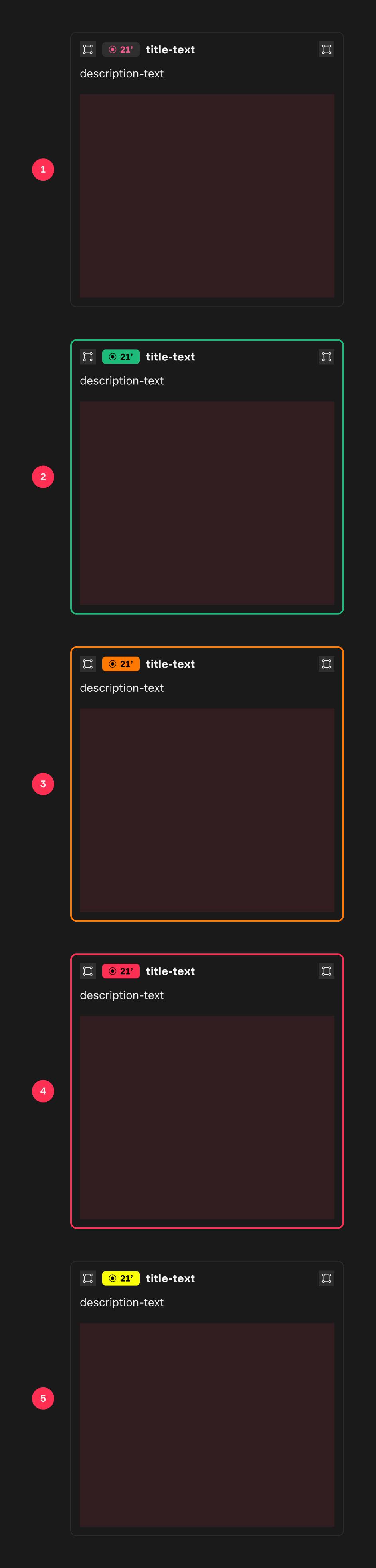
|
Item |
Variant |
|---|---|
|
1 |
Default (e.g. Live Update) |
|
2 |
Green (e.g. Goal) |
|
3 |
Orange (e.g. Missed Penalty) |
|
4 |
Red (e.g. Red Card) |
|
5 |
Yellow (e.g. Yellow Card) |