Design
Component checklist
Overview
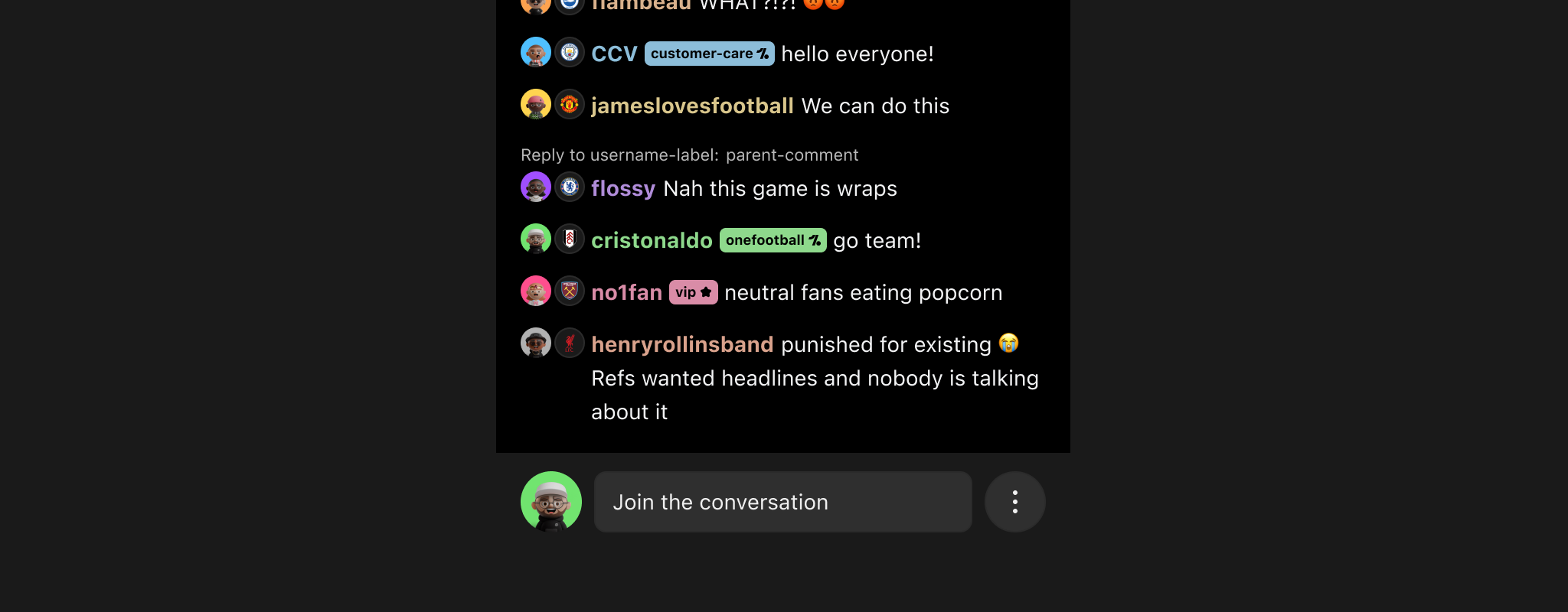
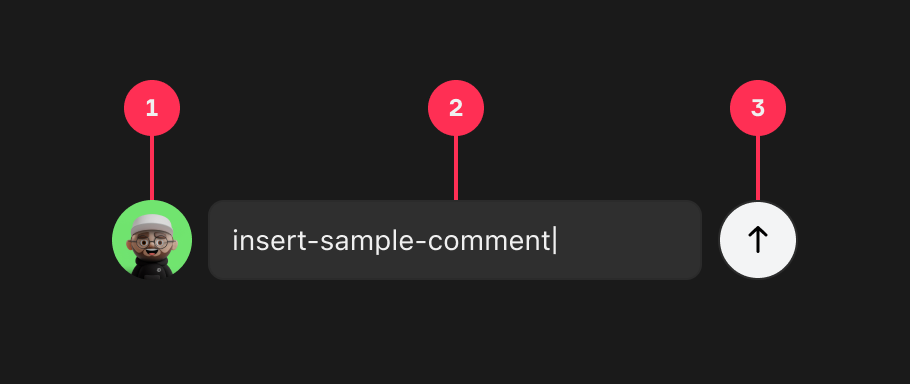
The Live Chat Input Field is the bar a fan writes into. It stays pinned to the bottom of the chat so it is always in reach while the stream moves, and it holds their avatar, the message they are drafting, and one button on the right whose job changes with what they are doing.
Usage
The action button
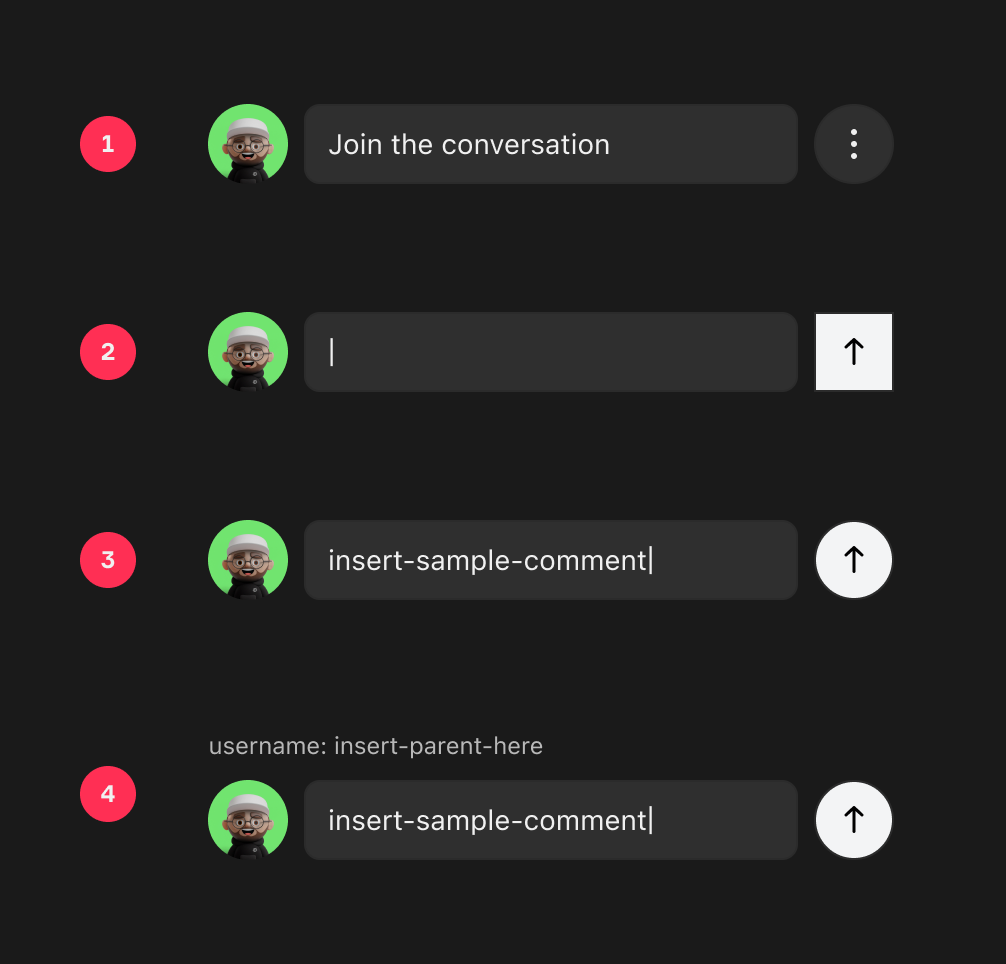
The button on the right does one of two jobs depending on the field. Before a fan starts writing it opens the chat settings; as soon as there is something to send it becomes the send button, and sending resets the bar. While the field is focused but still empty the send button is shown disabled, so it is clear what happens next and that there is nothing to send yet.
Replying
When a fan taps Reply on a message, a banner naming the comment they are answering sticks above the input field and stays there while they write, so they can see who they are replying to without scrolling back up the chat.
States
|
Item |
Usage |
|---|---|
|
1 |
Default |
|
2 |
Focused |
|
3 |
Focused with text |
|
4 |
Reply |
Design
Appearance
|
Item |
Usage |
|---|---|
|
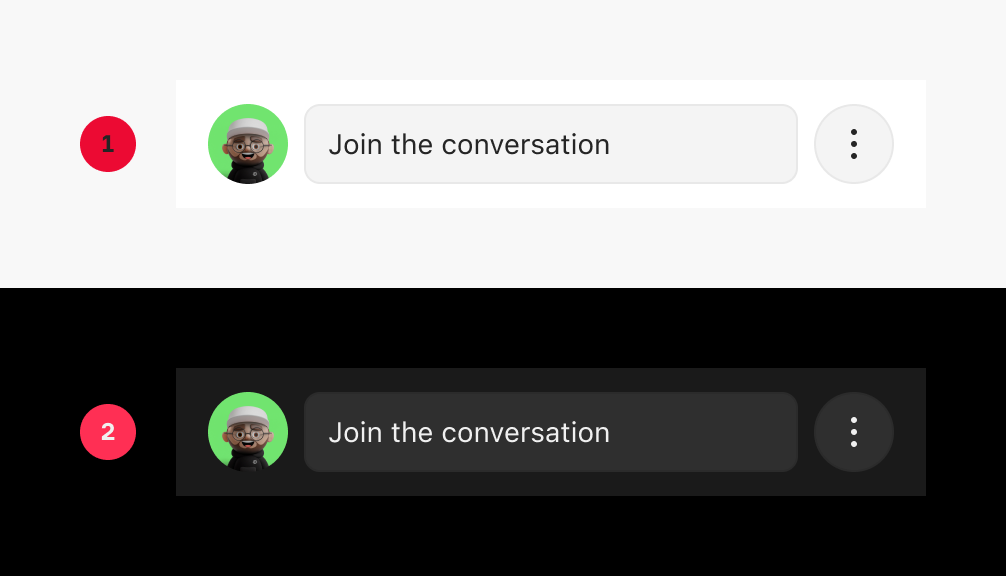
1 |
Light Mode |
|
2 |
Dark Mode |
Anatomy
|
Item |
Usage |
|---|---|
|
1 |
Avatar |
|
2 |
Text Field |
|
3 |
Dynamic Action Button |