Design
Component checklist
Up to date
Flutter
Up to date
Figma
-
Widgetbook
-
Overview
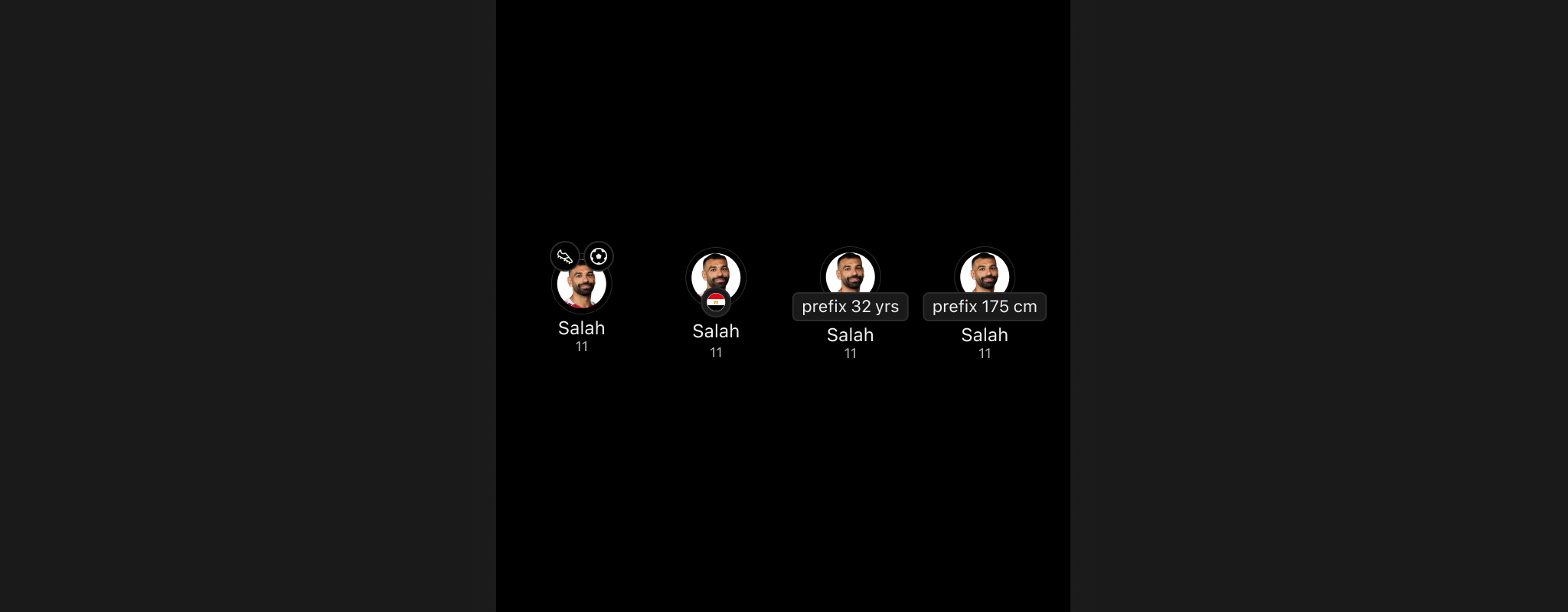
The Player is one person in a line-up, carrying their name, a line of supporting detail and their match rating. Icons alongside mark what they did in the match, such as goals, assists, cards and substitutions.
Usage
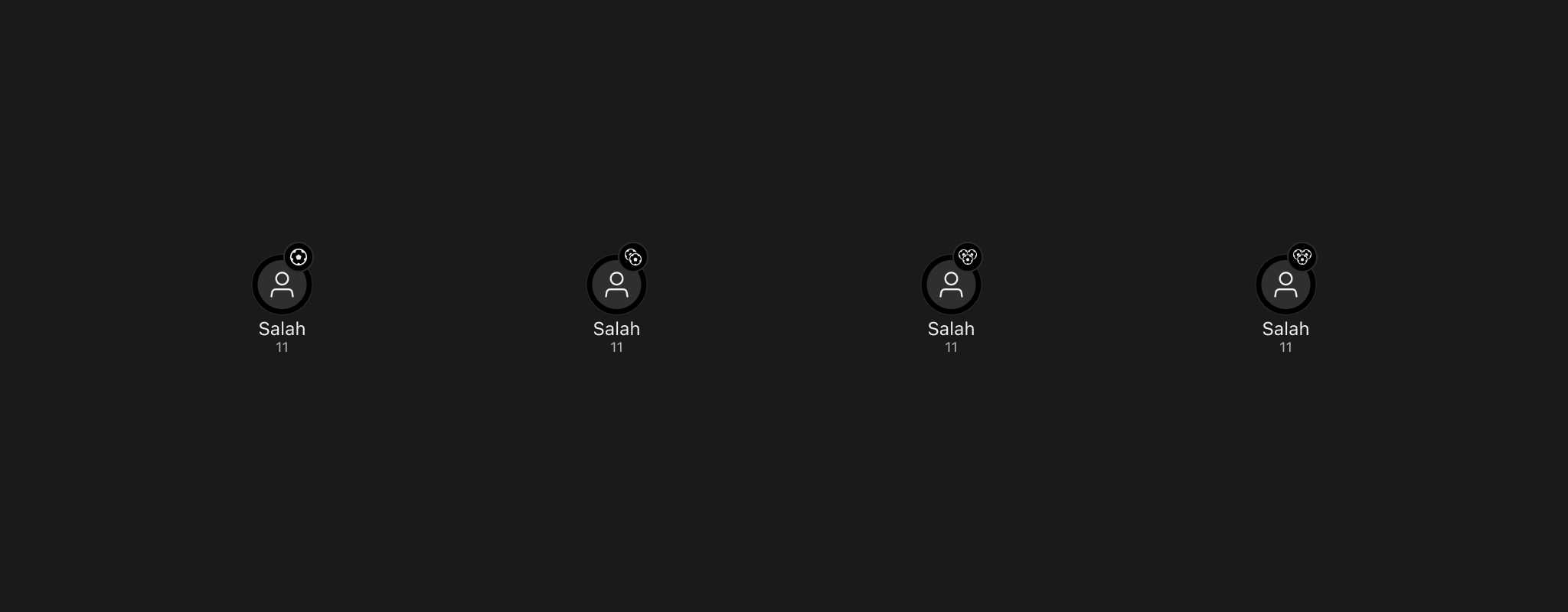
Multiple Goals
When a player scores multiple goals, the following logic applies:
- 1 Goal: Display a single goal icon.
- 2 Goals: Display two goal icons.
- 3 Goals (Hat-trick): Display a single hat-trick icon.
- 4+ Goals: Display a single hat-trick icon with a ‘+’ badge in the top-right corner.
Multiple Assists
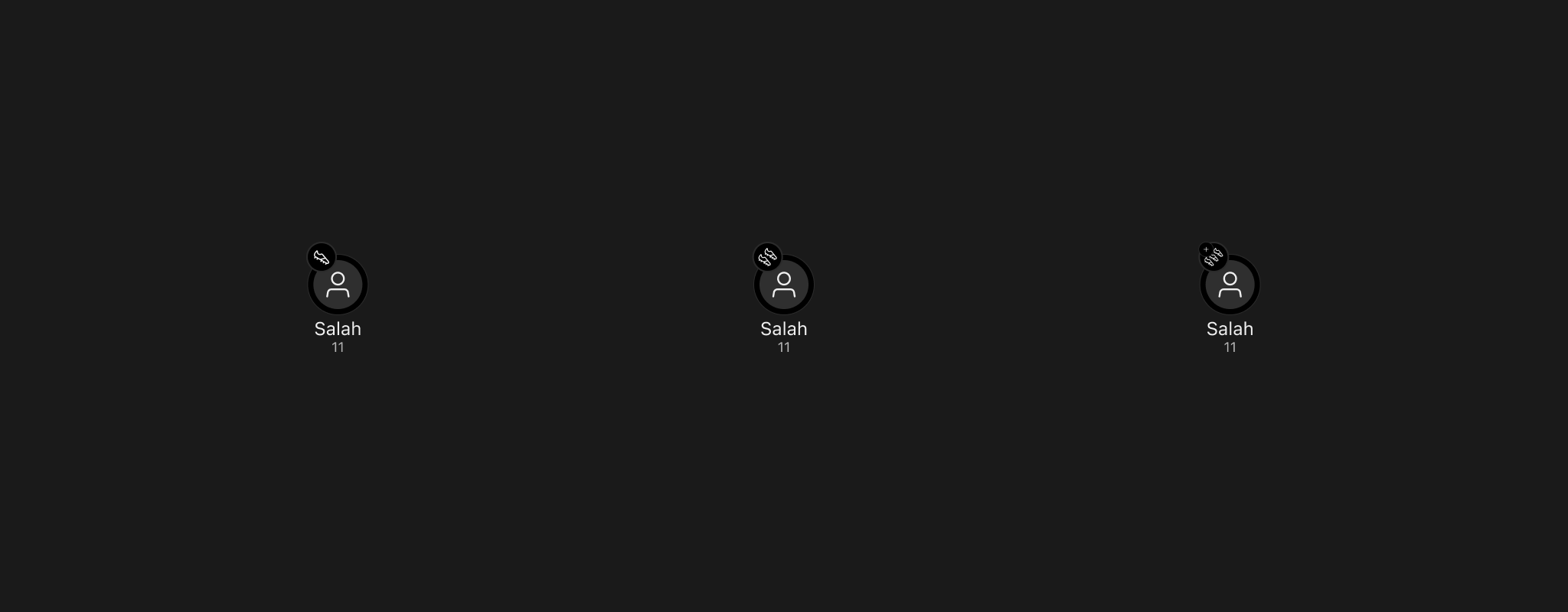
When a player registers multiple assists, the following logic applies:
- 1 Assist: Display a single assist icon.
- 2 Assists: Display two assist icons.
- 3+ Assists: Display a single assist icon with a ‘+’ badge in the top-right corner.
Own Goal & Penalty Events
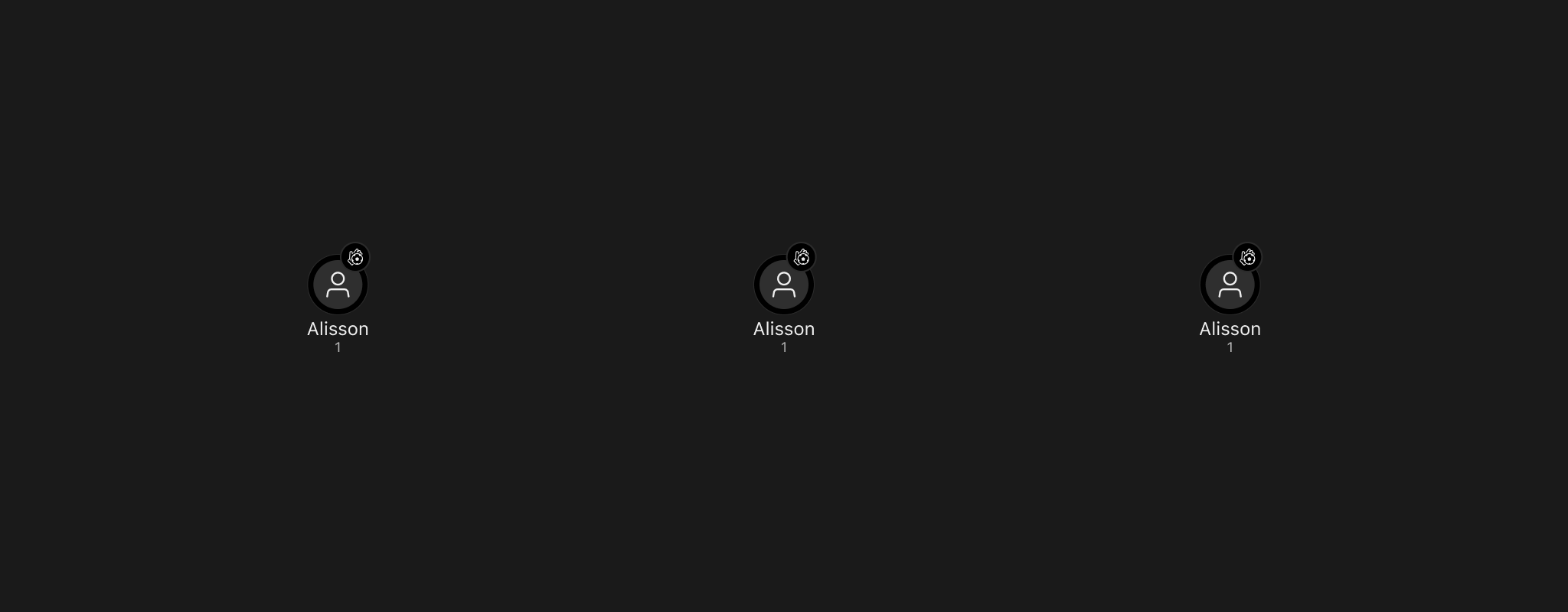
All 3 icons; Penalty Save, Penalty Missed, and Own Goal will be placed in the same location.
Since it’s rare for a player to have more than one of these events in a single match, the icons will be stacked in the same location.
If multiple of these events occur for the same player, they will be layered in the following priority order:
- Own Goal (Highest Priority)
- Penalty Missed
- Penalty Save (Lowest Priority)
Design
Appearance
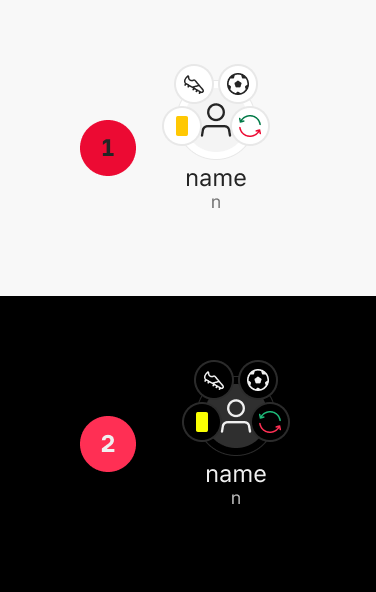
|
Item |
Usage |
|---|---|
|
1 |
Light Mode |
|
2 |
Dark Mode |
Anatomy
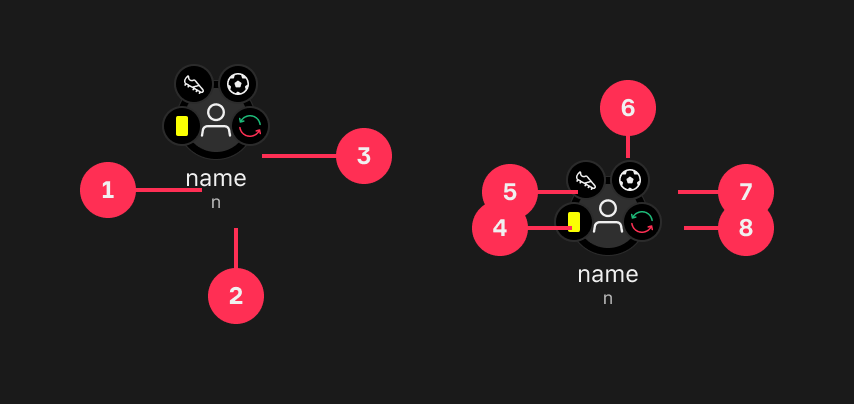
|
Item |
Usage |
|---|---|
|
1 |
Name Text |
|
2 |
Subtext |
|
3 |
Player Rating Indicator |
|
4 |
Icon (Optional) |
|
5 |
Icon (Optional) |
|
6 |
Icon (Optional) |
|
7 |
Icon (Optional) |
|
8 |
Icon (Optional) |
Variants
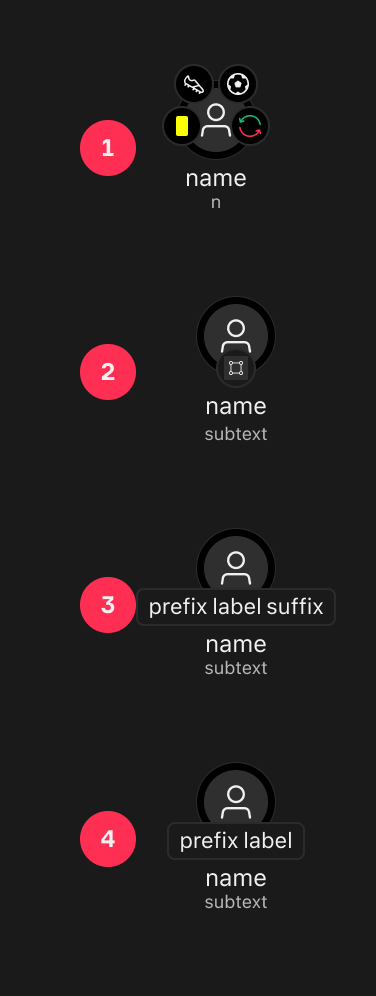
|
Item |
Variant |
|---|---|
|
1 |
Performance |
|
2 |
Icon |
|
3 |
Suffix |
|
4 |
Prefix |