Design
Overview
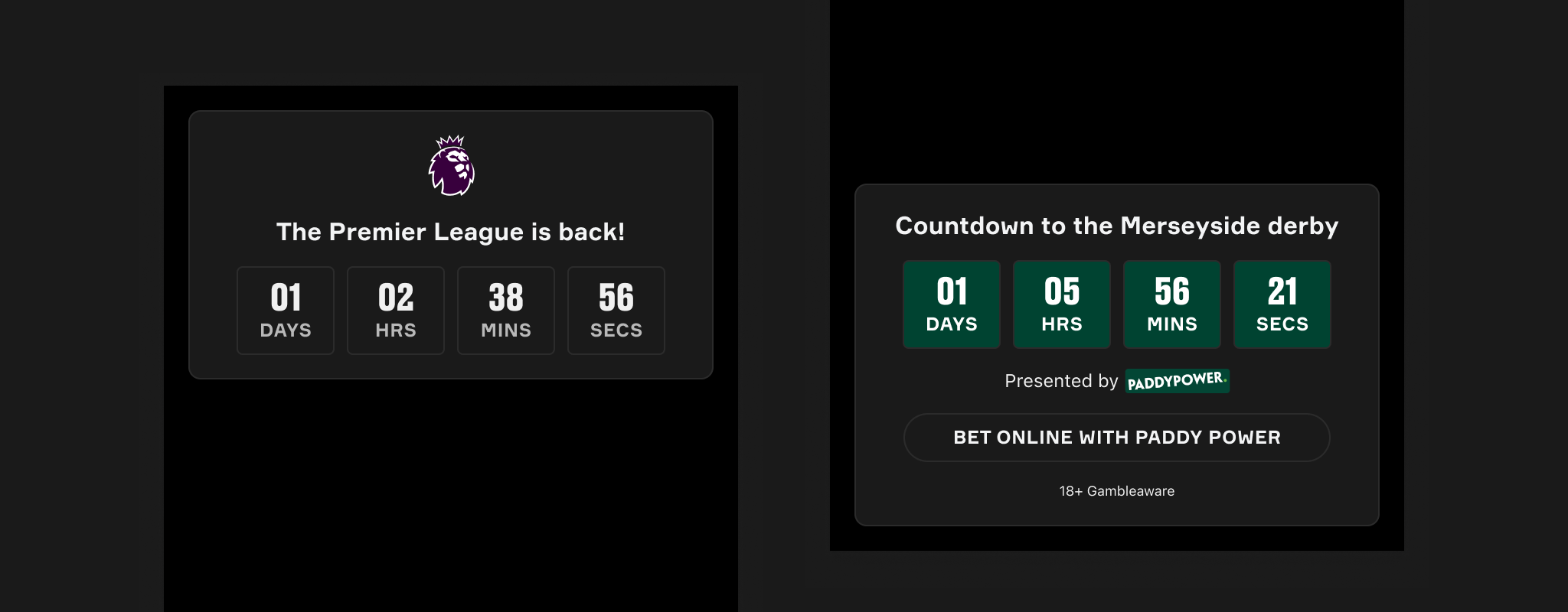
The Countdown shows the time remaining until a date or event, as a row of counters beneath a title. It runs either unsponsored with the OneFootball logo, or as a sponsored placement carrying a partner's colours, logo and call to action.
Usage
Countdown Logo
The inclusion of an advertising partner as a sponsor is considered commercial use of the logo, which is not legally permitted without a license or permission from the copyright holder.
The logo can only be shown when the Countdown component is not being sponsored.
Title Text Length
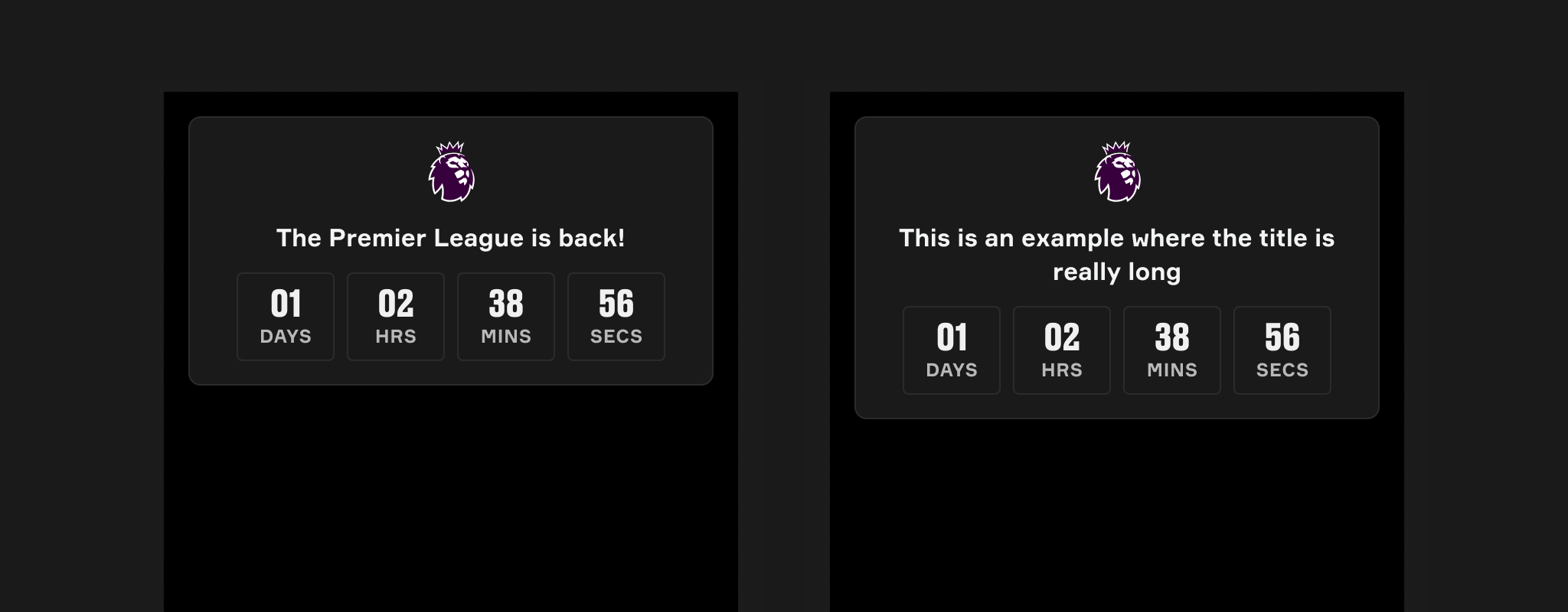
There is no maximum length for the title text. It will fill all available space and wrap to a new line if necessary. We recommend keeping it to a maximum of 2 lines, approximately 40 characters.
Sponsorship Customisations
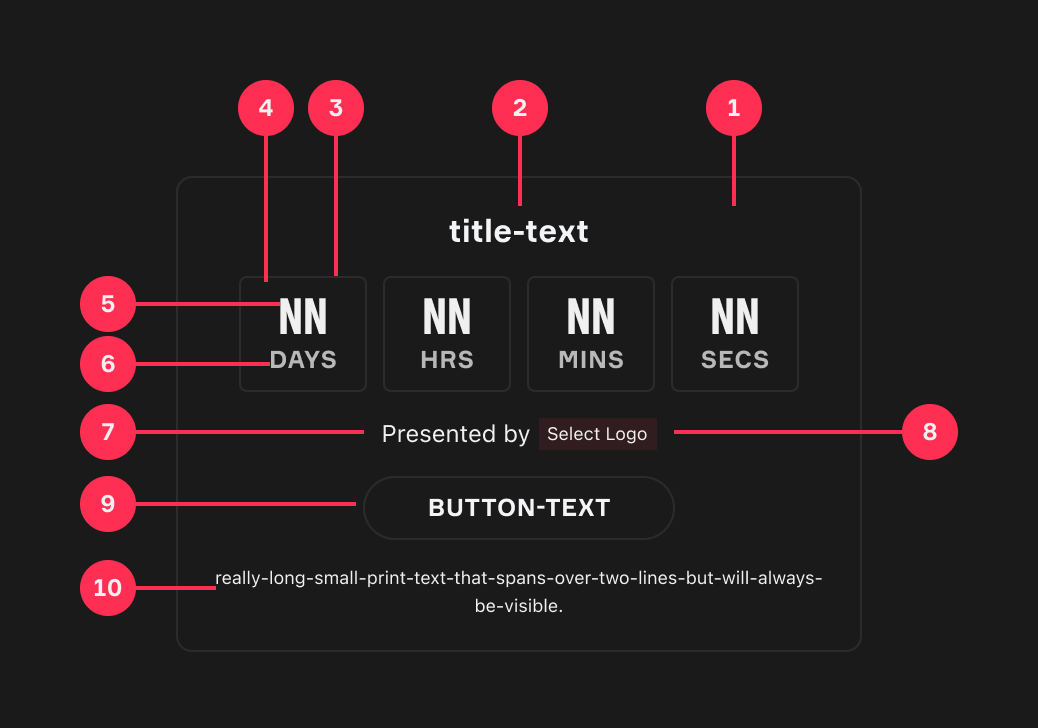
Various customisations are available to meet the needs of external brands and partners.
|
Item |
Customisation |
Asset Requirements |
|---|---|---|
|
1 |
Background Colour/Image |
343px × 198px (16:9) |
|
2 |
Title Text Colour |
Solid Hex Value |
|
3 |
Counter Border Colour |
Solid Hex Value |
|
4 |
Counter Background Colour |
Solid Hex Value |
|
5 |
Counter Time Text Colour |
Solid Hex Value |
|
6 |
Counter Label Text Colour |
Solid Hex Value |
|
7 |
Sponsorship Text Colour |
Solid Hex Value |
|
8 |
Sponsorship Logo |
16px Height / Dynamic Width |
|
9 |
CTA Label |
N/A |
|
10 |
Smallprint Text Colour (Optional) |
Solid Hex Value |
Sponsorship Logo
The sponsorship logo container has a fixed height of 16px, with a dynamic width to accommodate various logo dimensions.
We recommend uploading a rectangular logo for greater prominence and better visibility within the fixed height constraint.
CTA Label
Only the label text can be customised, while the UI design will remain consistent with the rest of the OneFootball experience. The label needs to be short and concise, fitting on one line, with a maximum of approximately 20 characters.
Background Colour/Image
It is possible to customise the background by either setting a solid colour or uploading an image containing simple brand elements or patterns. If a background image is used, ensure that the countdown content remains visible and accessible.
The background images must not contain any logos or advertising.
We recommend using a 16:9 aspect ratio for the background image to fill the width of the container, while keeping the file size as small as possible.
If a background image is used, the same image will be applied across all variants of the Countdown component. This ensures visual consistency regardless of where the component appears.
Exporting Assets
We recommend exporting at 4× resolution to ensure the assets remain high-resolution across all devices.
When exporting, save the final file as a PNG. PNG provides consistent quality, and for performance reasons the file size should be as small/compressed as possible.
Design
Appearance
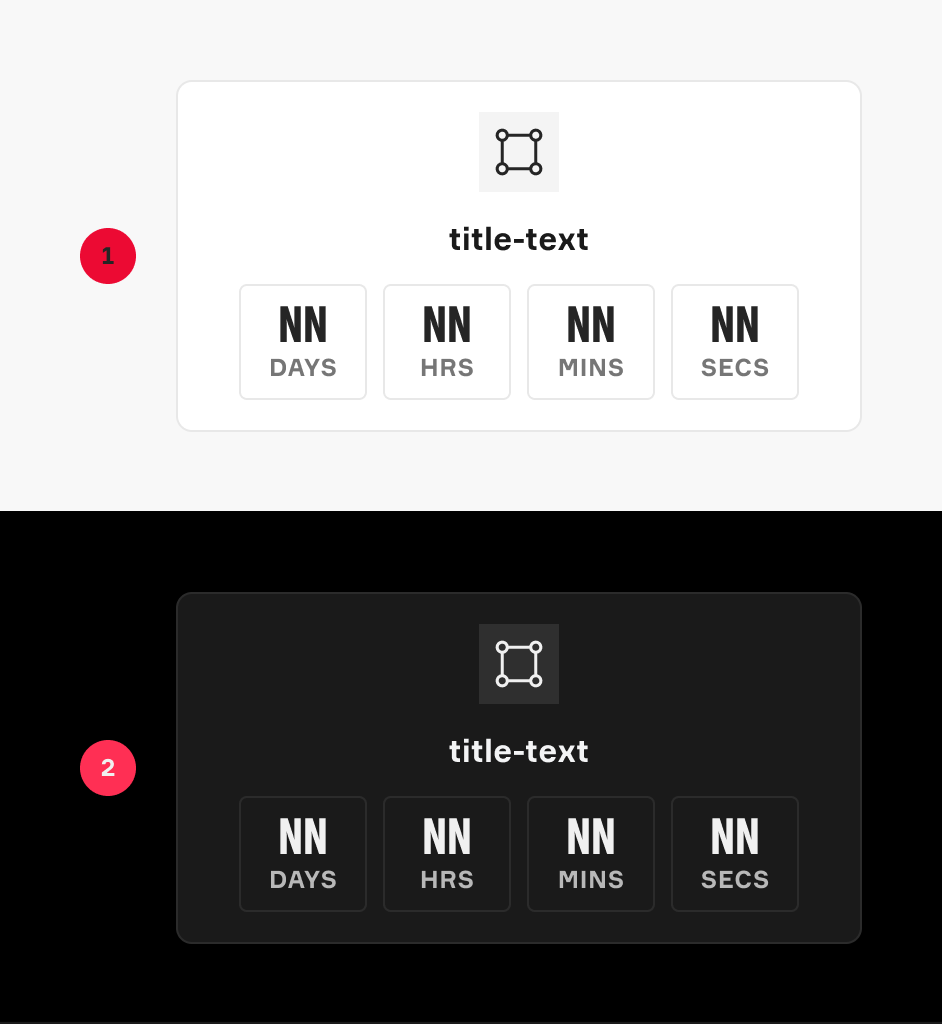
|
Item |
Usage |
|---|---|
|
1 |
Light Mode |
|
2 |
Dark Mode |
Anatomy
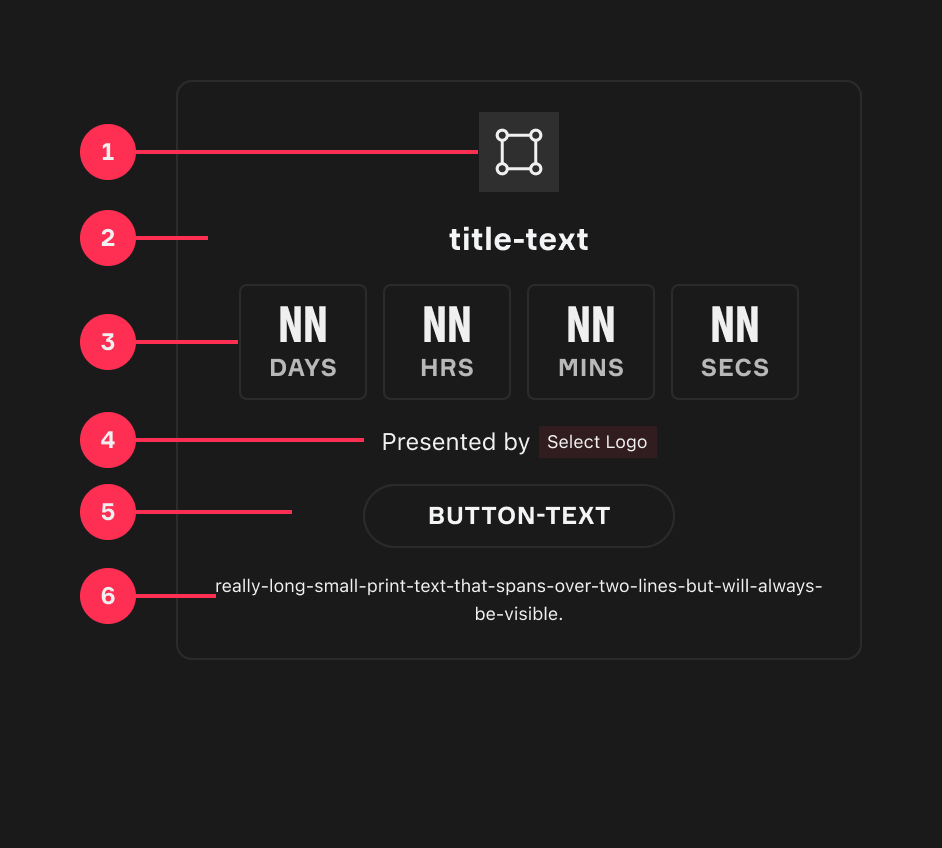
|
Item |
Usage |
|---|---|
|
1 |
Logo (Optional) |
|
2 |
Title Text |
|
3 |
Counter |
|
4 |
Sponsor Label (Optional) |
|
5 |
Sponsor CTA (Optional) |
|
6 |
Smallprint (Optional) |
Variants
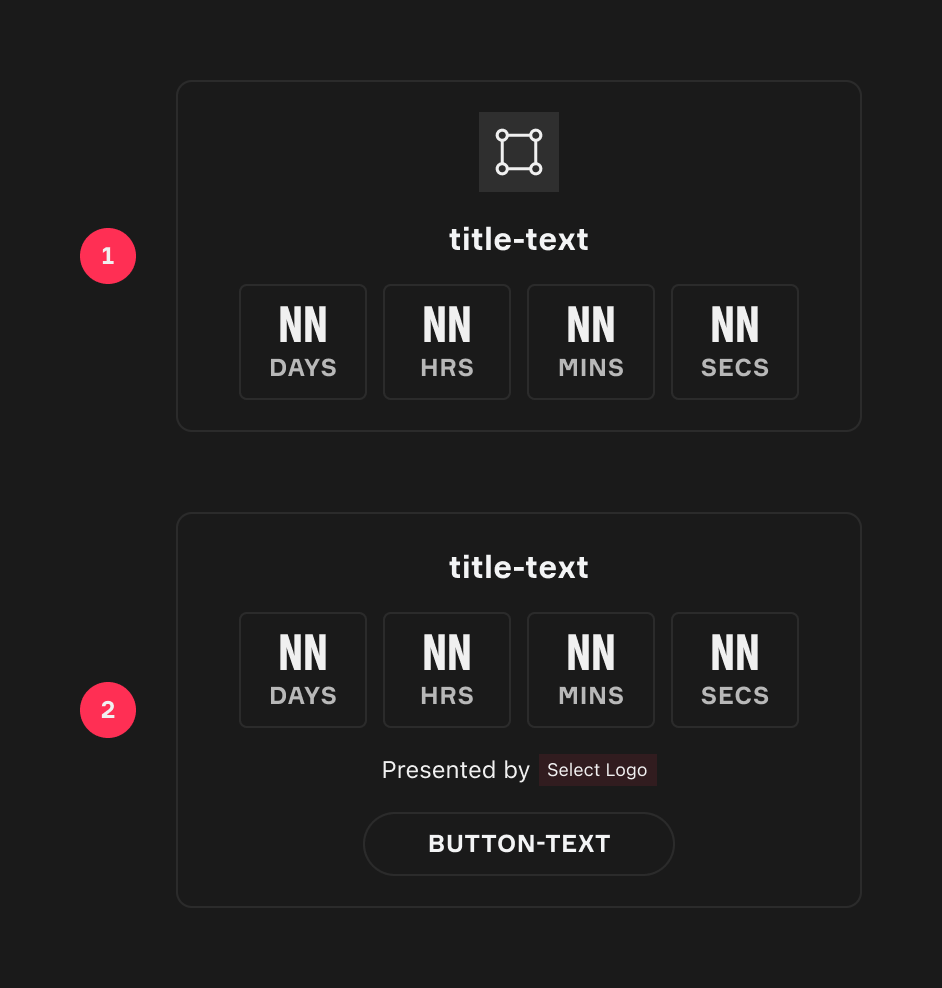
|
Item |
Variant |
|---|---|
|
1 |
Fallback |
|
2 |
Sponsored |
Animation
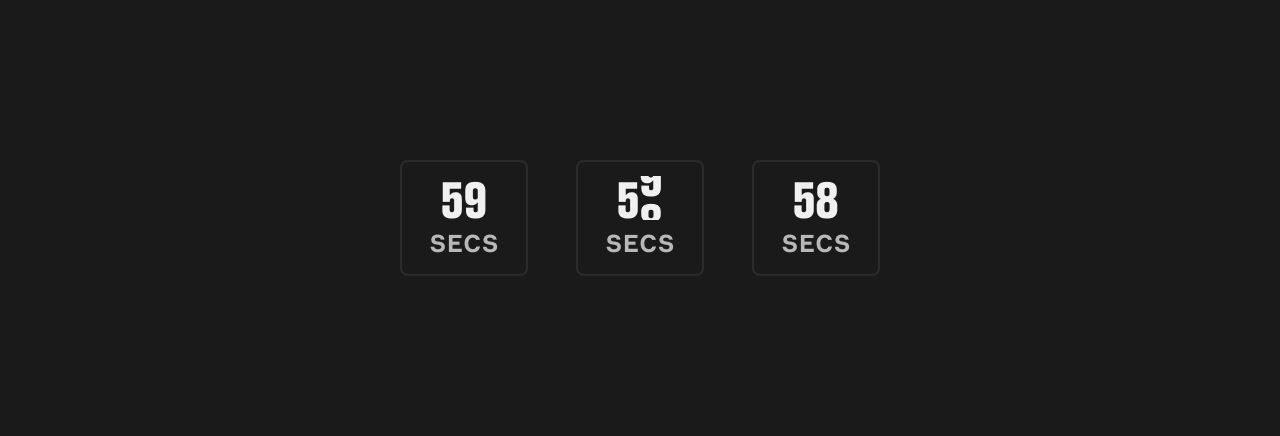
The countdown component uses a sliding animation, where each number pushes the previous number out of view as the seconds count down, with the numbers easing out for a smooth transition.