Design
Overview
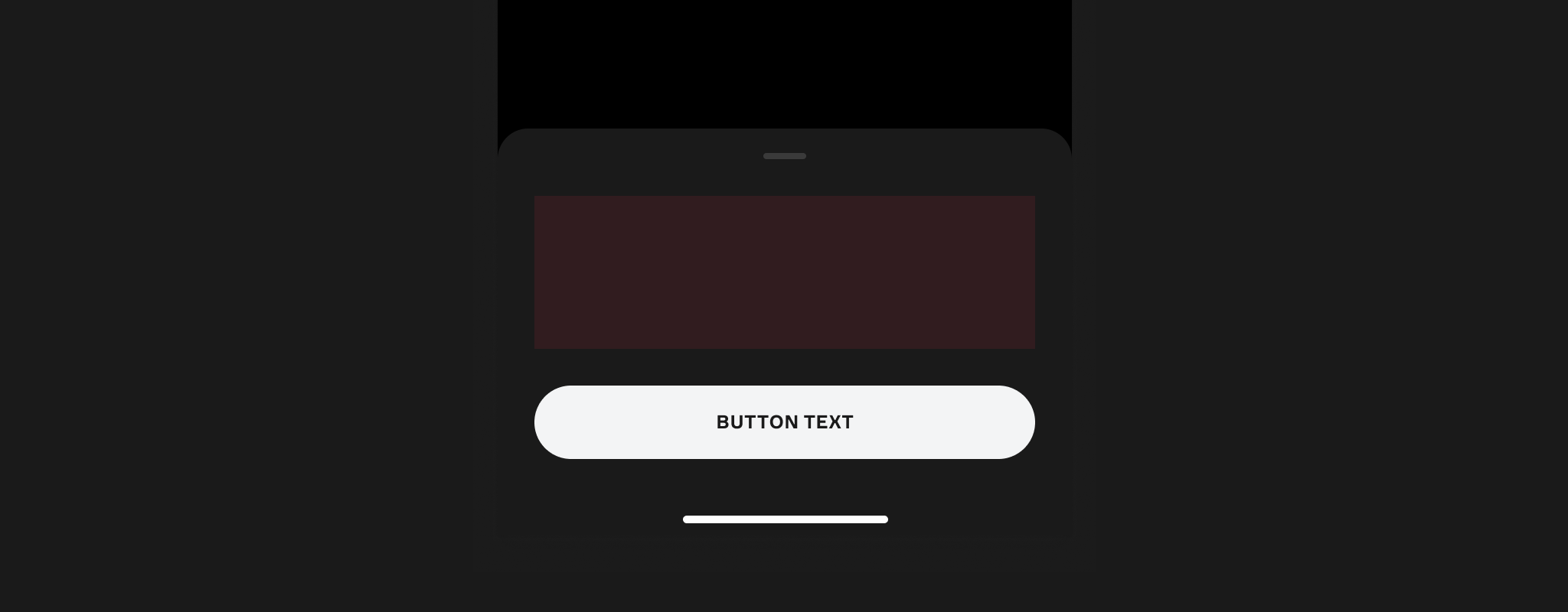
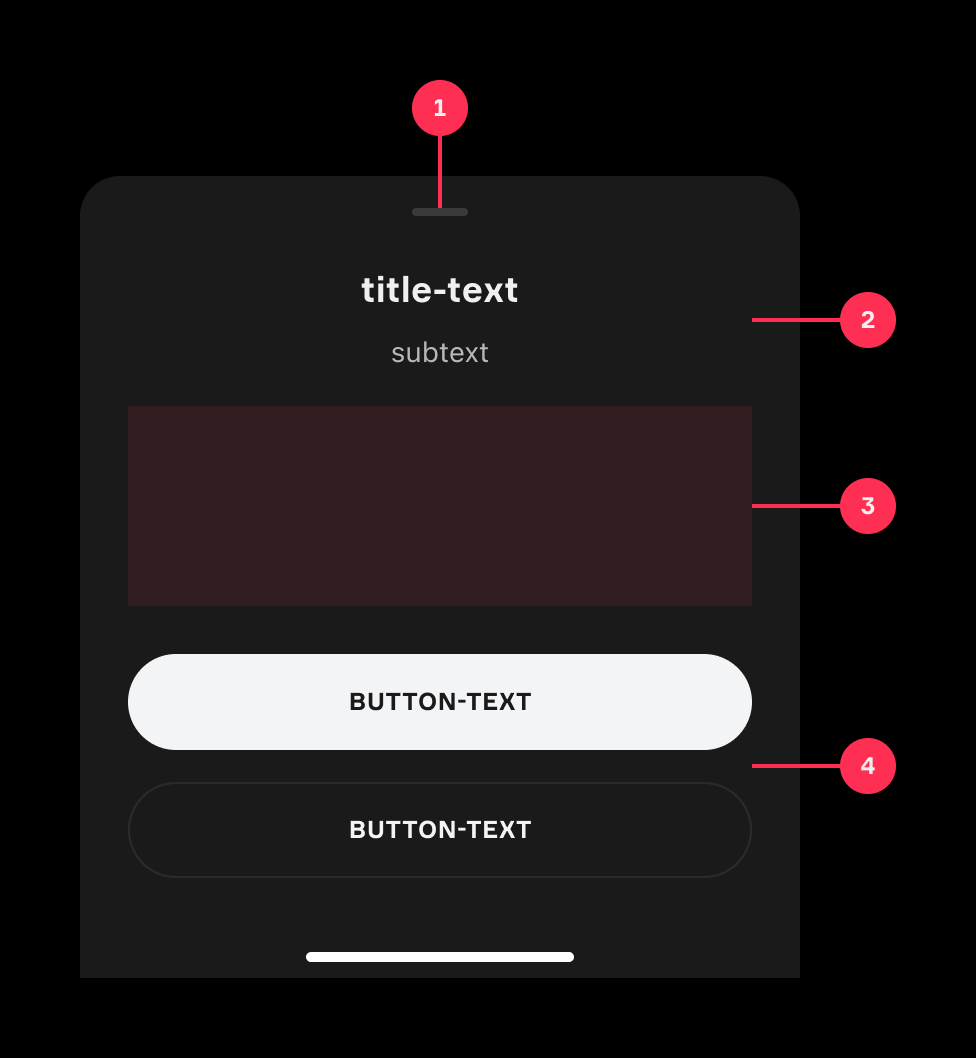
The Bottom Sheet is a surface anchored to the bottom of the screen that carries secondary content over the top of the main view. It holds an optional drag handle and title, the content itself, and any buttons.
Usage
Opening
The Bottom Sheet opens when triggered by a fan action, such as tapping a button, tapping an icon, or dragging the handle upwards.
Closing
The sheet can be closed or dismissed by either tapping the overlay area above the sheet, dragging the sheet down with the drag handle, or tapping an action within the sheet.
Overlay
Bottom Sheets are intended to focus the fan’s attention; therefore, they should always be used in conjunction with an Overlay.
Trapping Focus
The fan should only be able to tab through the elements within the Bottom Sheet and should not reach other elements until the Bottom Sheet is closed.
Alignment
Bottom Sheets always appear from the bottom and stay pinned to the bottom of the screen.
Scrolling
When the entire contents of the Bottom Sheet cannot be displayed due to limited height, scrolling will be enabled in the content area.
Maximum Height
The Bottom Sheet never expands to full screen. A fixed 48px (Spacing.s600) space is always left at the top of the screen, ensuring the system status bar remains visible and the sheet does not reach full height. This makes it clear that the Bottom Sheet is a floating surface, not a modal.
Similar Components
Modal
The Bottom Sheet shares a similar UI with the Modal; however, it is typically reserved for step-based flows. While Modals can guide fans through a sequence of steps within the main experience, Bottom Sheets are generally used for presenting supplementary options or information without completely diverting from the primary task.
Design
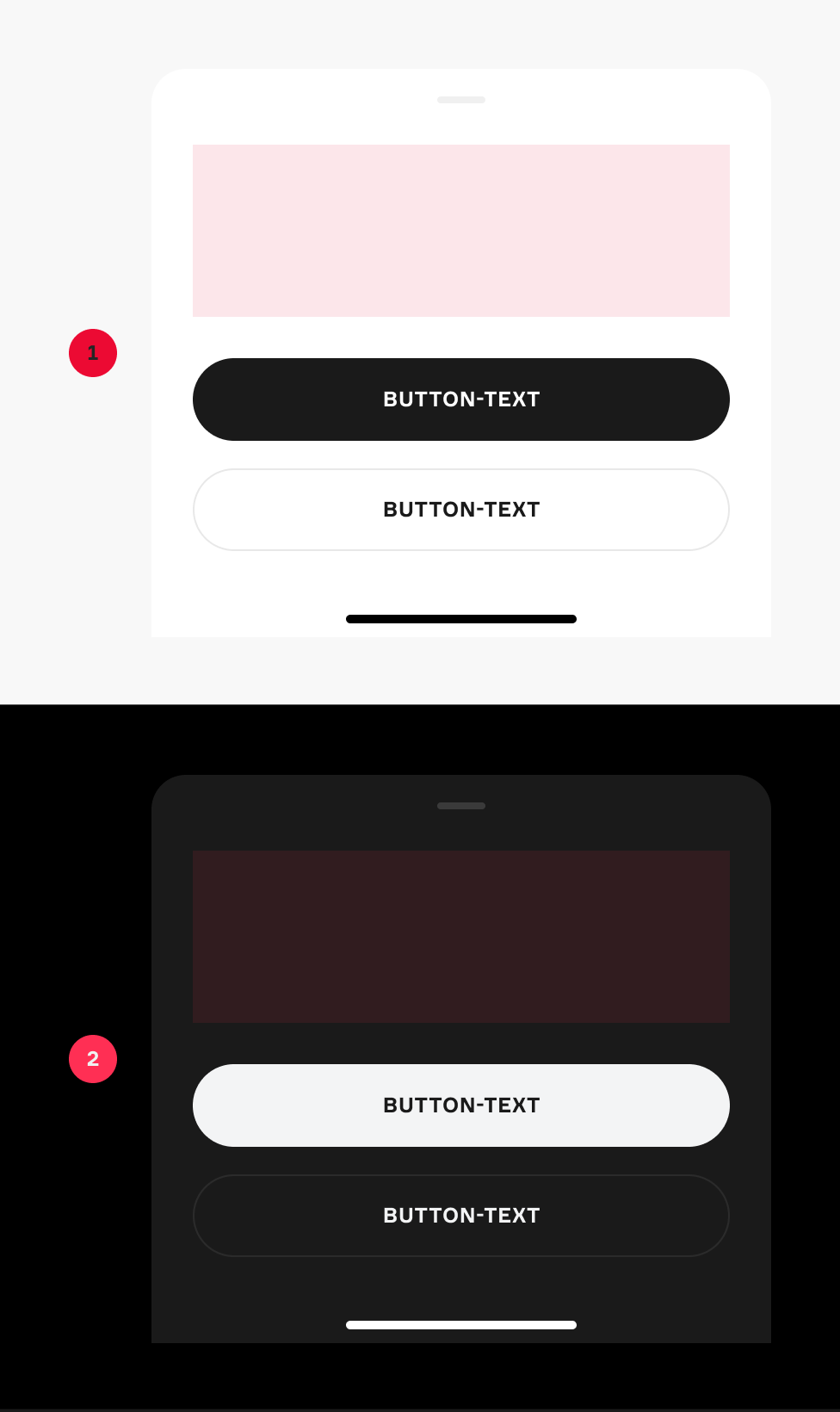
Appearance
|
Item |
Usage |
|---|---|
|
1 |
Light Mode |
|
2 |
Dark Mode |
Anatomy
|
Item |
Usage |
|---|---|
|
1 |
Drag Handle (Optional) |
|
2 |
Title/Subtext (Optional) |
|
3 |
Content |
|
4 |
Button(s) |
Variants
|
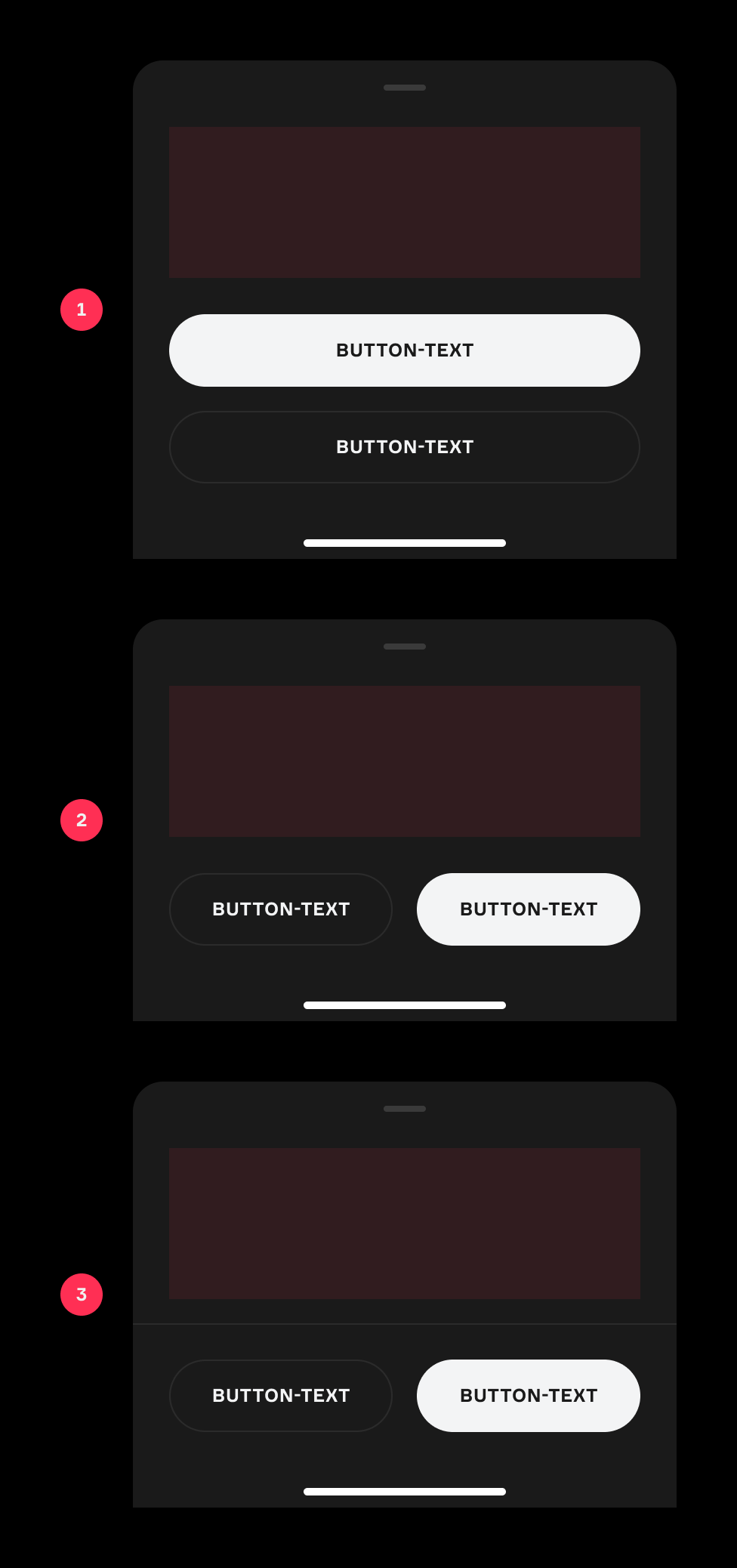
Item |
Variant |
|---|---|
|
1 |
Stacked Buttons |
|
2 |
Adjacent Buttons |
|
3 |
Pinned Buttons |
Animation
sing-2 / Ease Out will be used when opening and closing the Bottom Sheet. See our Motion guidelines for more information.